


One of the mistakes I see developers make when launching an application is treating SEO as something that belongs inside the application itself. They build a desktop program, SaaS product, mobile app, browser extension, web application, or some small utility, create one landing page with a download button, submit it somewhere, post about it on social media for a few days, and then… nothing, nada, wondering why almost nobody discovers it organically.
- I let the application be an application and WordPress be the website
- I usually create one permanent product page first
- WordPress becomes the central product hub
- Rank Math handles most of the technical SEO around those pages
- Tell search engines explicitly that the page represents software
- Rank Math Pro’s Custom Schema when the standard Software Schema is not detailed enough
- I never invent reviews to satisfy Google’s SoftwareApplication requirements
- The exact Schema changes slightly depending on the type of application
- I use WordPress for the documentation whenever possible
- I create tutorials that target problems, not just product features
- I create a handful of major pillar pages
- I use Rank Math’s internal-linking features, but I still think about links manually
- About and Mentions Schema gives me another useful semantic relationship
- Comparison articles are some of the most commercially useful pages
- Rank Math’s Article Schema handles the editorial content around the product
- I connect the person or company behind the application to the product
- I use Schema Templates when I start producing lots of similar content
- Video becomes another discovery channel
- WordPress for use-case pages when different audiences genuinely use the software differently
- I create integration pages when the application connects to other products
- I create alternative and competitor pages carefully
- I use FAQs because people have questions, not because I expect magical FAQ results
- I use sitemaps
I approach this very differently. The application can be written in Electron, Swift, .NET, Rust, PHP, JavaScript, Python, React, Vue, Flutter, or whatever else makes sense for the project, because I do not need WordPress to run the actual software.
What I do want WordPress to handle is almost everything surrounding that software: the main marketing pages, documentation, educational articles, comparisons, alternatives, tutorials, use cases, changelogs, announcements, videos, help pages, FAQs, pricing explanations, screenshots, search landing pages, and the thousands of words of useful content that can eventually make the product discoverable.
That separation has become one of my favorite ways to launch things. For the examples in this guide, I am going to pretend that I have built an application called My Cool App, available at https://example.com/my-cool-app/.
The name is intentionally stupid because the actual product does not matter here. The same architecture can work for a desktop application, a SaaS product, a mobile application, a browser extension, an image editor, a productivity app, or almost any other software product that people might search for on Google.
I use WordPress together with Rank Math SEO Pro as the layer that surrounds the application and tells search engines what the product is, who created it, what problems it solves, how it compares with other tools, and where people can learn more about it.
The objective is not to somehow trick Google with Schema markup. Structured data is simply a standardized way of describing information, and Google is very clear that implementing it correctly makes pages eligible for supported search features rather than guaranteeing that those features will appear. The much larger strategy is to make WordPress the product’s public knowledge base and SEO engine.
By the way, I’ve written A LOT about Rank Math SEO, so here’s a quick helpful list:
Rank Math SEO

I let the application be an application and WordPress be the website
Suppose I built a desktop application. The application files might be distributed as: MyCoolApp.exe and MyCoolApp.dmg, or perhaps the actual product is a browser application at https://app.example.com/. None of that needs to have anything to do with WordPress since my public website could still run almost entirely on WordPress:
- Example.com/
- my-cool-app/
- my-cool-app/features/
- my-cool-app/pricing/
- my-cool-app/download/
- my-cool-app/changelog/
- my-cool-app/help/
- guides/
- blog/
- comparisons/
The actual SaaS might exist at app.example.com. A desktop application may simply download from the website, a mobile app might send visitors to Apple’s App Store and Google Play, and a browser extension might send them to the Chrome Web Store or Firefox Add-ons.
The WordPress installation does not have to power the product itself. It powers the discoverable part of the product. That difference gives me more flexibility because I can use whatever technology I want for development without throwing away everything WordPress and Rank Math give me for publishing and SEO.
I usually create one permanent product page first
Before writing fifty articles about an application, I want one URL that permanently represents it. For My Cool App, that might be https://example.com/my-cool-app/. I treat this as the canonical product destination. It is not a launch announcement, and it is not a blog post called “I Just Built My First App.” Announcements become old very quickly, while a product page is supposed to remain useful for years.
The SEO title might be: “My Cool App – Project Management Software for Freelancers“, or “My Cool App – Offline Photo Organizer for Windows and macOS“, or “My Cool App – Browser Extension for Saving Research“. The important part is that the title explains the product rather than assuming the product name already means something to searchers.
Google recommends descriptive and concise page titles rather than vague titles that provide little information about the page. I therefore use the brand name together with the primary description of the application. The opening paragraph follows the same principle. Instead of filling it with startup language about revolutionizing workflows and unlocking human potential, I explain what the application is, who it is for, what it does, and where it works.
For example:
My Cool App is an offline desktop project-management application for freelancers and small teams. It helps users organize projects, tasks, notes, deadlines, and client information on Windows and macOS without requiring their project data to live in the cloud.
Now humans understand the product, and search engines have considerably less ambiguity to resolve.
WordPress becomes the central product hub
Once I have that main page, I start thinking about everything someone might reasonably want before using the application.
I might eventually create:
- /my-cool-app/
- /my-cool-app/features/
- /my-cool-app/pricing/
- /my-cool-app/download/
- /my-cool-app/changelog/
- /my-cool-app/roadmap/
- /my-cool-app/help/
- /my-cool-app/security/
- /my-cool-app/privacy/
- /my-cool-app/system-requirements/
I do not automatically create every one of those URLs; a page only exists when there is enough useful information to justify it. That is an important rule because WordPress makes creating pages so easy that developers can accidentally create a graveyard of thirty nearly empty URLs.
If system requirements can be explained properly on the download page, I keep them there. If pricing is complicated enough to deserve a dedicated explanation, I create a pricing page. If the application handles sensitive customer information, a proper security page may be extremely useful. And what kind of good website doesn’t offer a clean changelog page that explains what every new update offers?
Rank Math handles most of the technical SEO around those pages
This is where Rank Math SEO Pro becomes incredibly useful for me. Instead of manually writing <title> tags, descriptions, canonical URLs, Open Graph information, robots directives, structured data, and sitemap rules for dozens or hundreds of WordPress pages, I can manage those things from WordPress.
Rank Math Pro currently supports Custom Schema (this one is my favorite), Advanced Schema editing, reusable Schema Templates, multiple Schema types on a single page, Schema validation, and display conditions that let me apply templates across parts of a site.
For every important product page, I configure the basic SEO information first. For example, on /my-cool-app/ I might use “My Cool App — Offline Project Management Software” as the main title, and “My Cool App is an offline project-management application for freelancers. Organize projects, tasks, clients and deadlines on Windows and macOS.” as my meta description.
I also configure the social-sharing title, description, and image so that the page looks intentional when somebody posts it on X, Facebook, LinkedIn, Discord, Slack, or anywhere else that reads Open Graph metadata.
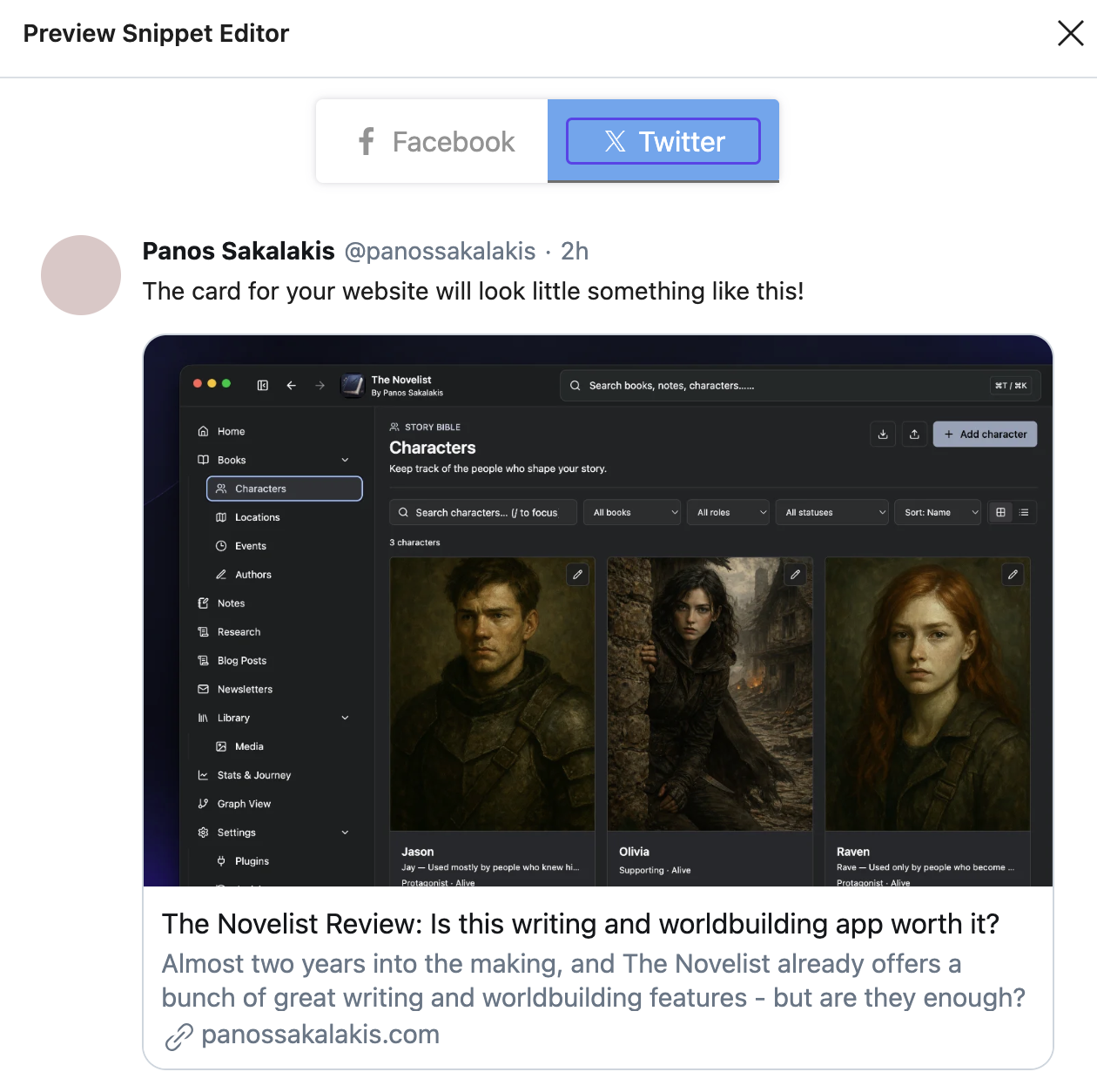
For a software product, I normally create a dedicated 1200×630 promotional image rather than allowing the site to randomly pick the app icon or the first screenshot on the page.
Tell search engines explicitly that the page represents software
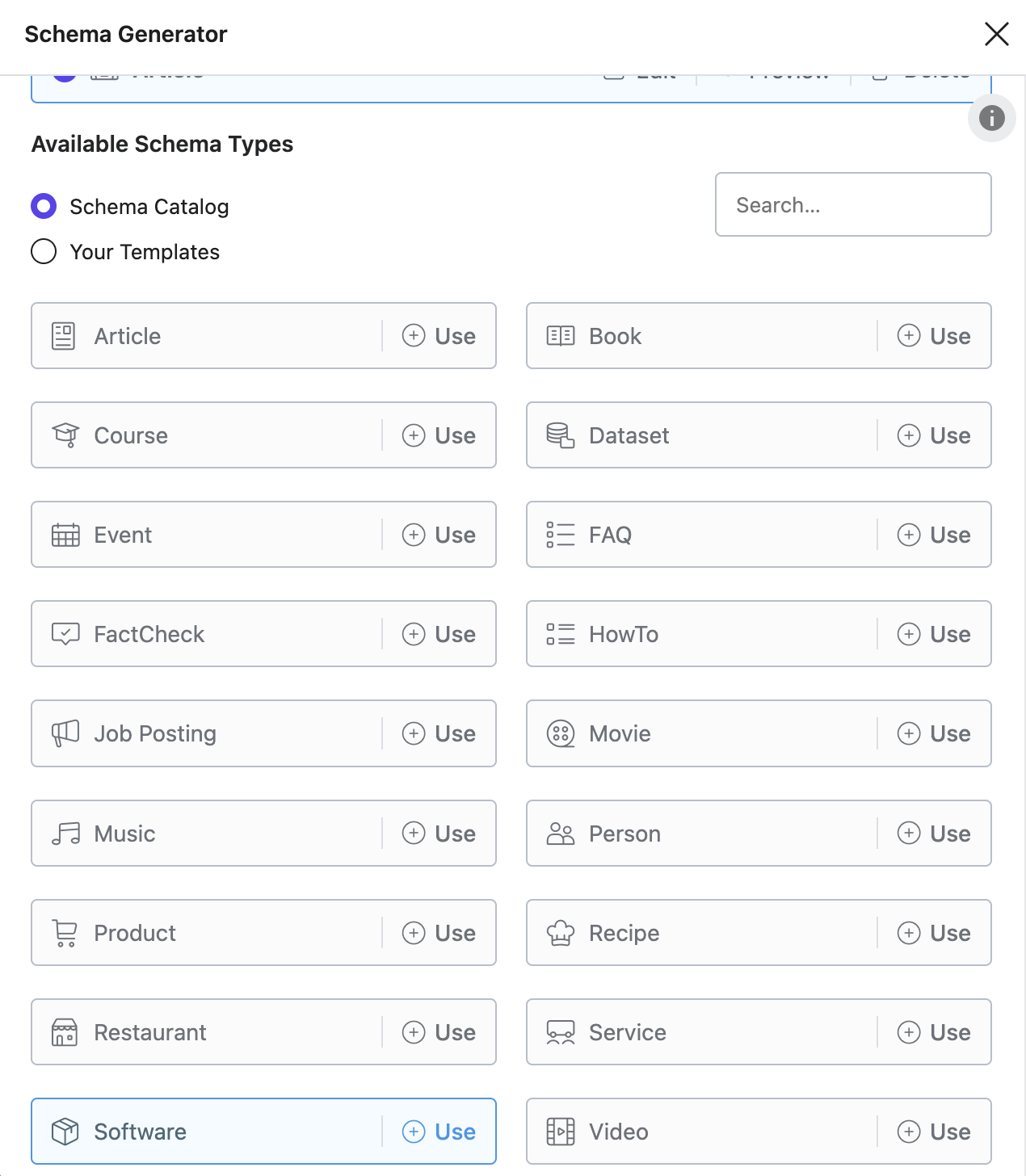
Rank Math includes a Software Schema type designed for pages about applications. For a product like My Cool App, that becomes one of the most obvious Schema types to use. At the simplest level, I want to communicate information such as:
Name:
My Cool App

Type:
SoftwareApplication

Description:
Offline project-management software for freelancers

Operating systems:
Windows, macOS

Application category:
BusinessApplication

Price:
0 or the real current entry price

Currency:
EUR/USD/etc.
Google has specific documentation for SoftwareApplication structured data and currently uses information such as the application’s name, pricing, application category, operating system, and reviews or ratings when determining eligibility for its software application search appearance.
There is an important difference here between Schema.org properties and Google-supported rich-result properties. Schema.org can describe far more information than Google currently displays, but that does not mean the additional properties are useless. It means I do not assume that adding a property automatically creates a special search result.
Rank Math Pro’s Custom Schema when the standard Software Schema is not detailed enough
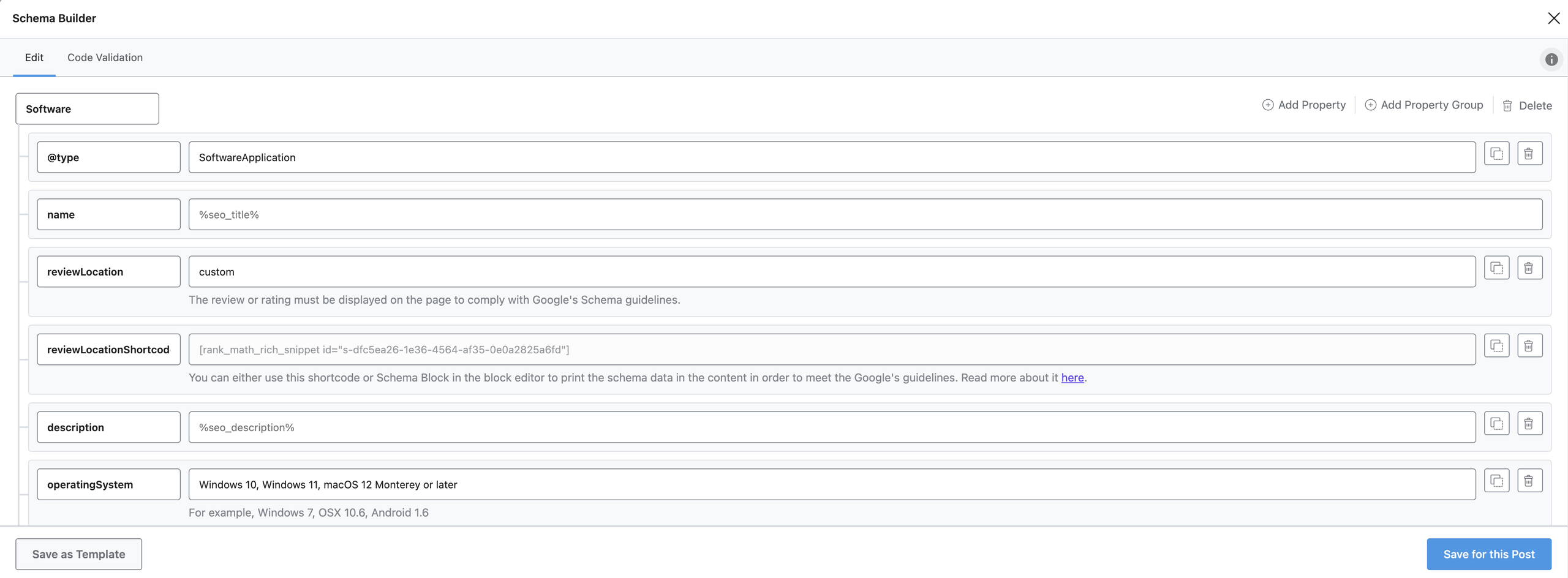
This is one of the reasons I prefer the Pro version. Rank Math’s Custom Schema Builder allows me to extend structured data instead of being limited to whatever fields are included in the standard form, and Schema Templates let me reuse those structures throughout the website.
For example, conceptually I may want My Cool App represented like this:
{
  "@context": "https://schema.org",
  "@type": "SoftwareApplication",
  "@id": "https://example.com/my-cool-app/#software",
  "name": "My Cool App",
  "url": "https://example.com/my-cool-app/",
  "description": "Offline project-management software for freelancers.",
  "applicationCategory": "BusinessApplication",
  "applicationSubCategory": "Project management software",
  "operatingSystem": [
    "Windows",
    "macOS"
  ],
  "softwareVersion": "2.4.1",
  "featureList": [
    "Project management",
    "Task management",
    "Client organization",
    "Deadlines",
    "Offline storage"
  ],
  "creator": {
    "@id": "https://example.com/#person"
  }
}
I may also include appropriate properties for screenshots, downloads, installation information, system requirements, release notes, offers, or other product data if those values are genuinely represented by the website. The critical rule is that structured data describes the real product.
If the visible page says the application supports Windows and macOS, the Schema should not quietly include Linux because I plan to release Linux support six months from now. If the page shows version 2.4.1, the Schema should not still say 1.7.0. If the cheapest plan costs twenty-nine euros, I should not leave an old nineteen-euro offer inside JSON-LD. Schema becomes another part of the site that has to remain accurate.
I never invent reviews to satisfy Google’s SoftwareApplication requirements
This deserves its own explanation because software Schema creates a very obvious temptation. You see, Google’s current SoftwareApplication documentation requires a legitimate rating or review, together with other required information, for eligibility for its dedicated software rich-result presentation.
That does not mean I type: Rating: 5/5 because I built the application and think it is wonderful. If the application has genuine reviews on my website and I am displaying them properly, I can represent those accurately. If I have a legitimate aggregate rating that is shown to visitors and complies with Google’s requirements, I can add it.
If I have no reviews, then I simply do not fabricate them. I would rather have a perfectly honest SoftwareApplication Schema that does not qualify for a specific rich result than build an SEO strategy on fake review information.
The exact Schema changes slightly depending on the type of application
The overall strategy works for almost any application, but the details naturally change. Here’s what I mean for a few types of applications that you may be working on:
For a desktop application, operating-system information becomes extremely important. The page should clearly explain Windows, macOS, Linux, architecture requirements, minimum versions, storage requirements, and anything else someone needs before downloading.
For a SaaS or web application, operating system may matter far less than browser requirements, pricing plans, account creation, privacy, integrations, and whether there is a free trial.
For a mobile application, I care about the supported mobile platforms, App Store and Google Play destinations, screenshots, pricing, in-app purchase information where relevant, and device requirements.
For a browser extension, I want to make browser compatibility extremely obvious and provide clear links to the official extension stores.
For a developer tool, I may care more about documentation, installation methods, supported languages or frameworks, GitHub links, technical guides, examples, and API references.
The WordPress architecture remains almost identical. What changes is the information I emphasize.
I use WordPress for the documentation whenever possible
Documentation is one of the most underrated SEO assets an application can have. Developers often hide everything inside a GitHub README, an in-app help panel, a Notion page, or a support system that search engines barely understand. I prefer public documentation on my own domain when that makes sense.
For My Cool App:
/my-cool-app/help/
/my-cool-app/help/install-windows/
/my-cool-app/help/install-macos/
/my-cool-app/help/create-project/
/my-cool-app/help/import-data/
/my-cool-app/help/export-project/
/my-cool-app/help/backups/
Each page solves a specific problem. That means someone searching: “How to backup My Cool App projects”, has an actual page to land on. More importantly, documentation creates extremely strong branded search coverage over time.
Instead of Google seeing one landing page for the entire application, it can eventually see dozens or hundreds of useful resources associated with the product. WordPress is very good at managing this because I can create Pages, hierarchical content, custom post types if necessary, navigation, breadcrumbs, search, categories, and reusable layouts without building my own documentation CMS.
And the best of all? I can use a plugin to quickly do that, and almost any of the popular choices already work with Rank Math SEO.
I create tutorials that target problems, not just product features
There is a big difference between “How to Use My Cool App’s Task Manager” and “How to Keep Track of Multiple Freelance Projects Without Missing Deadlines”. The first query primarily helps someone who already knows the product, while the second can introduce the product to somebody who has never heard of it.
I want both types, and this is where the WordPress blog becomes the acquisition engine.
For example:
/how-to-manage-multiple-freelance-projects/
/how-to-organize-client-deadlines/
/best-offline-project-management-tools/
/project-management-without-monthly-subscriptions/
/how-to-organize-client-notes/
/local-vs-cloud-project-management/
Those articles answer real questions first. My Cool App appears where it is genuinely useful. The article does not begin with “My Cool App is the greatest software ever created and everybody should download it.”, but it may instead explain several approaches, identify the problems involved, and then say: “I eventually built this workflow into My Cool App because I wanted projects, tasks and client information stored together without relying on another subscription.”
Now the product is part of the solution rather than an advertisement interrupting the solution.
I create a handful of major pillar pages
I do not mark everything as Pillar Content in Rank Math because that would make the concept meaningless. Rank Math describes Pillar Content as important evergreen material and uses that designation in its internal linking functionality.
For a project-management application, I may create pillars such as:
/project-management-guide/
/project-management-software/
/freelancer-productivity-guide/
For a photo application:
/photo-organization-guide/
/photo-management-software/
/organize-digital-photos/
For an author application:
/novel-writing-software/
/worldbuilding-guide/
/writing-a-novel/
For a developer tool:
/local-development-guide/
/developer-productivity-tools/
/self-hosted-development-tools/
These are large evergreen resources that many smaller articles can support. But in the end, everything leads to the main page of the app. The product page remains the commercial destination, the pillar pages become the informational authorities, and the supporting articles capture narrower questions.
I use Rank Math’s internal-linking features, but I still think about links manually
Internal linking should not become a mechanical exercise where every article contains an exact-match anchor pointing to the same page. I want links to make sense to the reader. If an article is discussing project-management software, I might naturally write, “I use My Cool App as my local project-management workspace.”
If I compare it, I’ll link to its features page. If I’m discussing its versions or pricing, well, I’ll link to its pricing page. A tutorial can link to the appropriate documentation page, and the list goes on.
Rank Math’s current Pillar Content and internal-linking features are designed to help identify important evergreen pages for contextual linking, but I still treat the suggestions as assistance rather than instructions that must be accepted blindly.
About and Mentions Schema gives me another useful semantic relationship
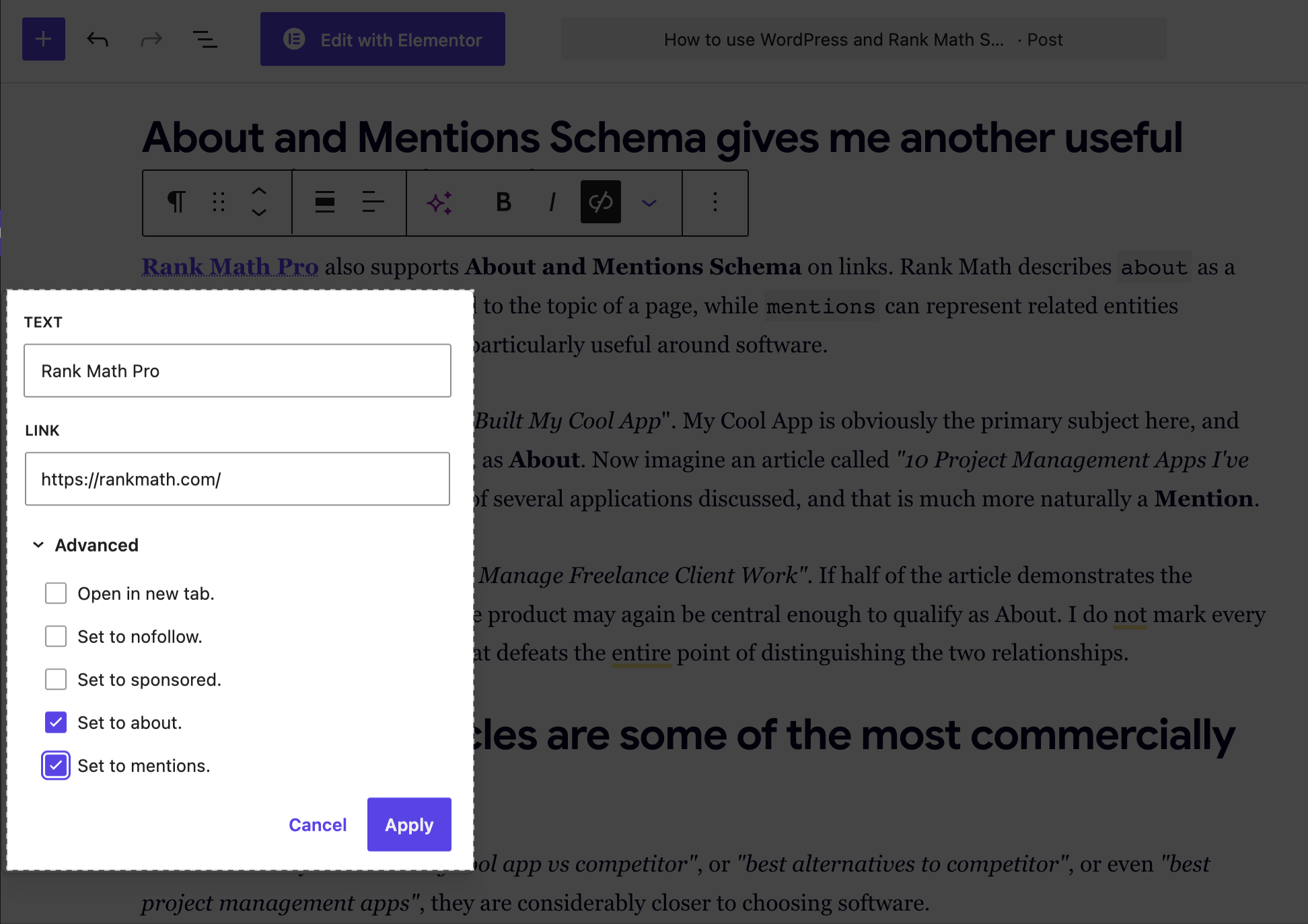
Rank Math Pro also supports About and Mentions Schema on links. Rank Math describes about as a way to identify something central to the topic of a page, while mentions can represent related entities discussed in the content. This is particularly useful around software.
Imagine an article called “How I Built My Cool App“. My Cool App is obviously the primary subject here, and the product link could be marked as About. Now imagine an article called “10 Project Management Apps I’ve Tried”. My Cool App is only one of several applications discussed, and that is much more naturally a Mention.
Another article might be, “How I Manage Freelance Client Work”. If half of the article demonstrates the workflow inside My Cool App, the product may again be central enough to qualify as About. I do not mark every product link as About because that defeats the entire point of distinguishing the two relationships.
Comparison articles are some of the most commercially useful pages
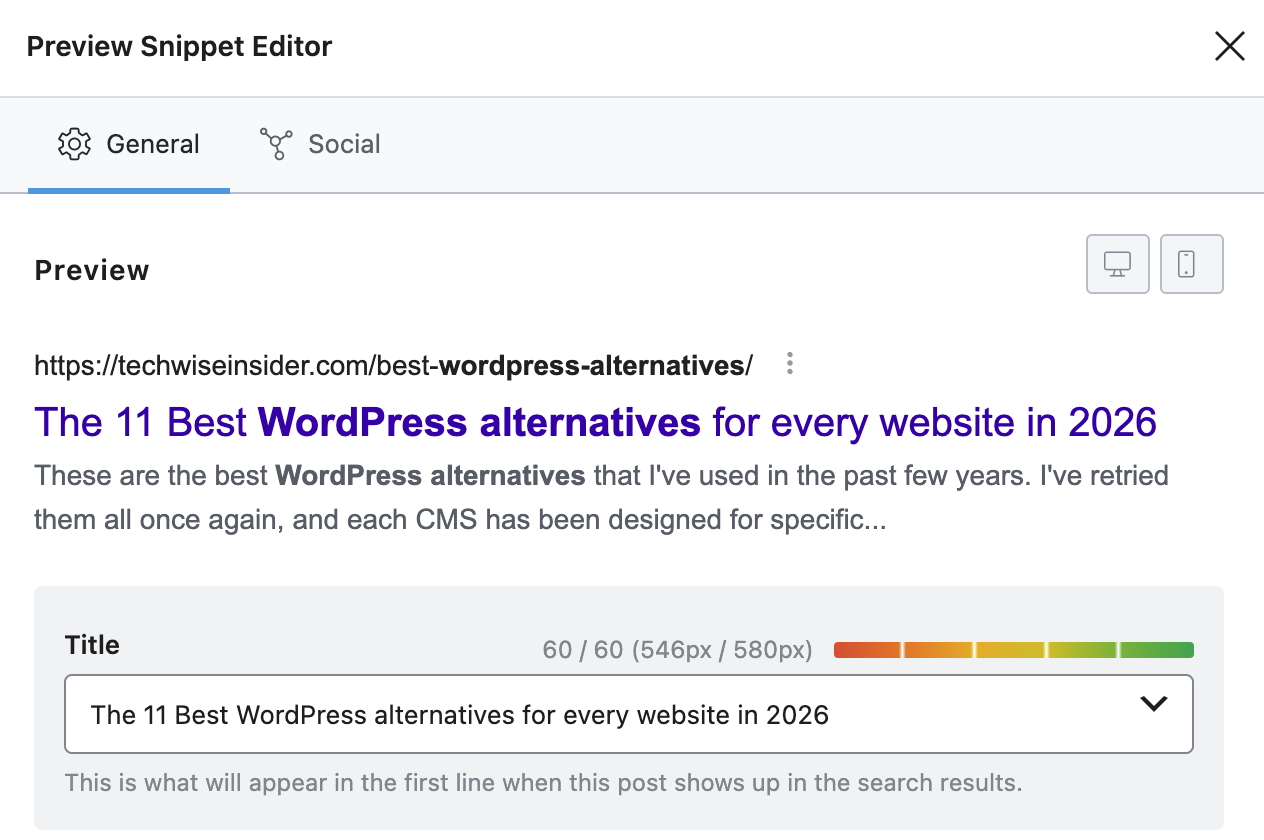
When somebody searches “my cool app vs competitor”, or “best alternatives to competitor”, or even “best project management apps”, they are considerably closer to choosing software.
So I usually might publish:
- My Cool App vs Competitor A
- My Cool App vs Competitor B
- Best Alternatives to Competitor A
- Best Offline Project Management Applications
- Best Project Management Tools Without a Subscription
The important thing is that these comparisons have to be real. If I own My Cool App, I disclose that. If the competitor has something my application lacks, I say so, and if my application is not suitable for large corporate teams, I explain that.
I can still explain why I built My Cool App differently and who that approach may suit better. A factual comparison builds considerably more trust than a fake review where my product somehow wins in every category.
Rank Math’s Article Schema handles the editorial content around the product
The product page represents software, but most blog posts are still articles. Rank Math supports Article and BlogPosting Schema for posts and pages, and it can include author information as part of that markup.
That creates a useful separation:
/my-cool-app/
→ SoftwareApplication

/how-i-built-my-cool-app/
→ Article / BlogPosting

/best-project-management-software/
→ Article / BlogPosting

/my-cool-app-vs-competitor/
→ Article / BlogPosting
The article can be about the software without pretending that the article itself is the software. That may sound obvious, but structured data becomes messy very quickly when everything on a website is marked with whatever Schema type sounds most commercially useful.
I connect the person or company behind the application to the product
An application does not appear from nowhere. If I am an independent developer, I want the relationship to be clear. WordPress and Rank Math can already represent site-level entities and author information, while my application’s structured data can refer back to the same person or organization.
The main principle is consistency. I do not want one Schema block to describe “Panos Sakalakis”, another one to “Panos Sakalakis Software”, and another to “My Cool App’s Team”. Well, unless those truly are separate entities. But in most cases, you’ll have to be very careful with this.
I use Schema Templates when I start producing lots of similar content
This is one Rank Math Pro feature that becomes much more valuable as the site grows. Rank Math allows custom Schema configurations to be saved as reusable templates and applied using display conditions. Suppose I have fifty documentation pages; I do not want to configure the same base Schema manually fifty times.
Suppose I create a custom post type called “Documentation”. I can create appropriate default structured data and let Rank Math apply it according to the rules I define. The same principle can work for tutorials, case studies, release notes, templates, use cases, and more.
The website becomes easier to scale because the SEO structure is part of the content architecture rather than something I remember to configure manually every time.
Video becomes another discovery channel
If I am promoting software, video is almost unavoidable because people want to see the product working. So, if you can handle it, creating a bunch of useful videos is absolutely crucial.
I may create:
- My Cool App Overview
- How to Set Up My Cool App
- Five Things You Can Do With My Cool App
- How I Manage Client Projects With My Cool App
- What’s New in My Cool App 2.0
Those videos may live on YouTube, but I also embed relevant videos into their corresponding WordPress pages.
Rank Math supports Video Schema, and its Pro features can automatically detect supported embedded videos such as YouTube or Vimeo content and generate appropriate structured data. It can also include detected videos in its Video Sitemap. That means one useful tutorial can exist in several connected forms.
Instead of YouTube and my website behaving like two unrelated projects, each supports the other.
WordPress for use-case pages when different audiences genuinely use the software differently
Suppose My Cool App works for freelancers, design agencies, consultants, photographers, developers, whatever; look if there’s any value in creating different pages for all of them.
There may be value in creating:
/my-cool-app/for-freelancers/
/my-cool-app/for-agencies/
/my-cool-app/for-consultants/
But only if those pages contain genuinely different information. The freelancer page might discuss invoicing deadlines, multiple clients, personal workloads, and offline work. The agency page might focus on shared workflows, roles, client handoffs, and collaboration.
If I simply duplicate the same page five times and swap one profession inside the H1, I have created SEO garbage rather than useful landing pages. The same rule applies to feature pages. Unique search intent first, URL second.
I create integration pages when the application connects to other products
If My Cool App connects to Google Drive, Dropbox, GitHub, Slack, Notion, Stripe, or another platform, integrations can become a large source of useful long-tail content.
For example:
/my-cool-app/integrations/google-drive/
/my-cool-app/integrations/github/
/my-cool-app/integrations/slack/
Those pages can explain exactly how the integration works, what it can access, how to set it up, limitations, privacy implications, and troubleshooting. They may also rank for searches combining the names of both products.
Again, WordPress is doing what it does best: publishing structured public information. The application is still responsible for actually making the integration work.
I create alternative and competitor pages carefully
Software searches often contain a huge amount of competitor intent. If I build a writing application, people search for alternatives to other writing applications. If I build a photo editor, people search for Photoshop alternatives. If I build project-management software, people search for alternatives to Asana, Trello, Monday, ClickUp, and whatever else exists in the market.
Those searches can be valuable, but I do not create pages like /competitor-a-alternative/, /competitor-b-alternative/, and /competitor-c-alternative/, especially with the same template and 90% duplicated text. Each comparison should exist because I can genuinely explain the difference.
That means discussing:
- Price
- Platforms
- Offline support
- Cloud requirements
- Features
- Privacy
- Exports
The goal is not to declare that my application wins, but to give the person enough information to understand where each product fits.
I use FAQs because people have questions, not because I expect magical FAQ results
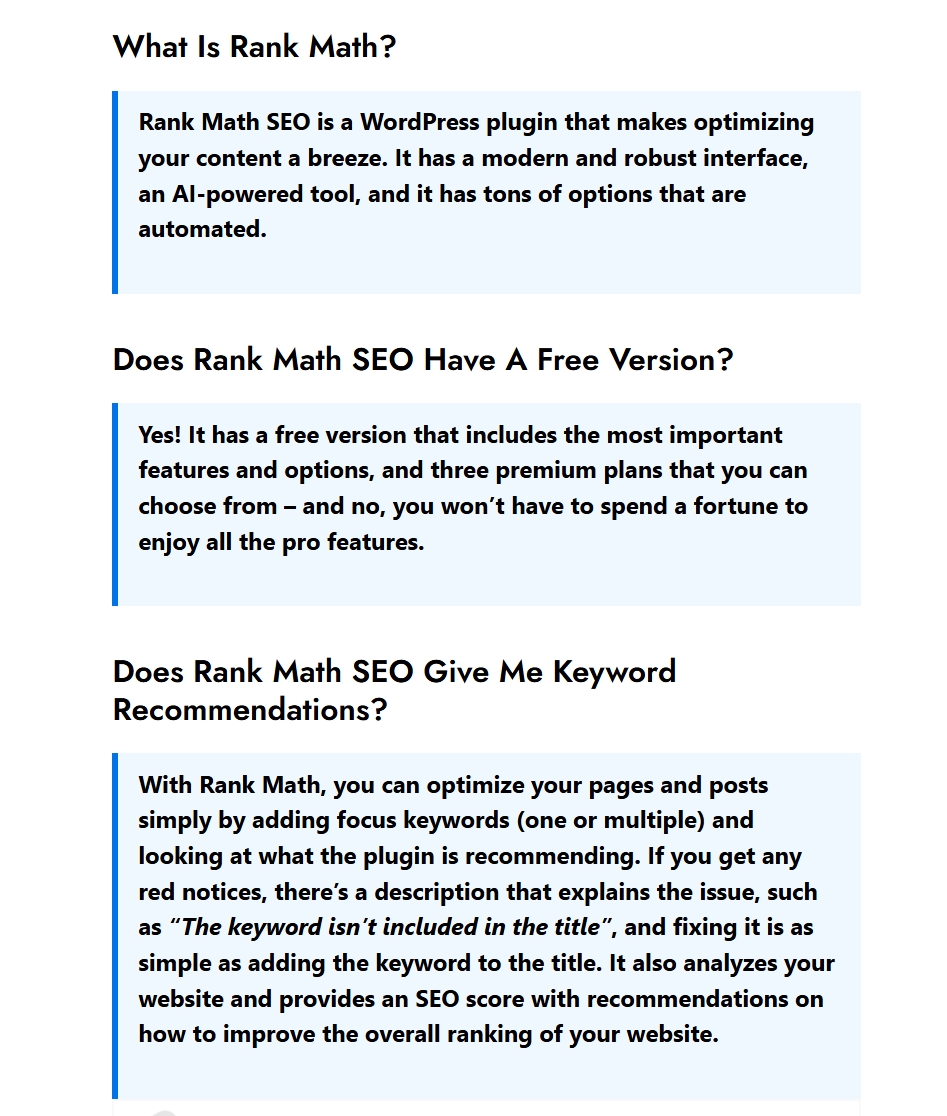
Software product pages naturally generate questions. The best thing about Rank Math SEO is that it offers an ‘FAQ’ block that you can use within the Gutenberg editor to quickly create an SEO-optimized frequently asked questions box.
For a desktop application:
Does it work offline?
Where is my data stored?
Is there a Windows version?
Does it work on Apple Silicon?
Is Linux supported?
Can I export my data?
What happens if I stop paying?
Does the free version expire?
For SaaS:
Is there a free trial?
Can I cancel anytime?
Where is customer data stored?
Does it support teams?
Is an API available?
Can I export my account?
Those questions are worth answering whether Google displays anything special or not. The content itself reduces uncertainty for potential customers and can capture long-tail branded searches.
I use sitemaps
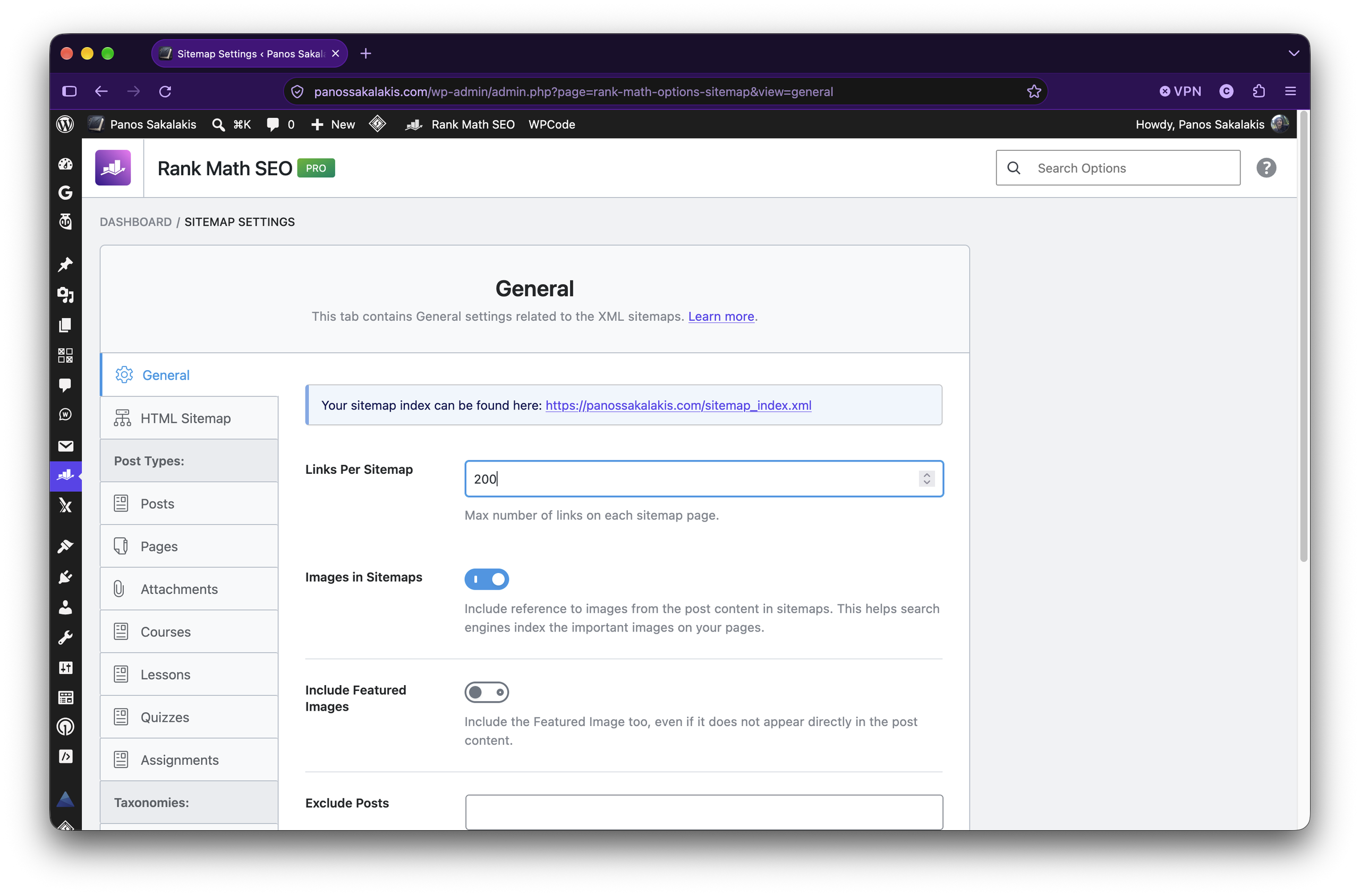
Rank Math can generate XML sitemaps for the WordPress content I choose to expose, and Google recommends using sitemaps to help it discover important URLs and future changes. That means I include things such as product pages, documentation, articles, important landing pages, and useful categories.
While thinking carefully about whether low-value archives need indexing. If WordPress generates a tag archive containing one article and no useful additional content, I probably do not need Google indexing it. If a documentation taxonomy becomes a genuinely useful navigational resource, the answer may be different.
The sitemap is not supposed to contain every URL WordPress is technically capable of generating; it should help search engines discover the URLs I actually care about.
So, I hope these tips will help you promote your application without having to rely on constant advertising and social media posts. I’m pretty sure that I forgot to mention a few things, especially considering that Rank Math SEO is filled with features and options, but I promise to update the article if something comes to mind.
If you have any questions, feel free to ask them in the comments below. But do keep in mind that the Rank Math SEO’s team is pretty fast at replying to emails and support tickets, so make sure to ask them about anything specific that you’re not sure how to properly implement, optimize, or adjust based on your app.
P.S. I’m currently getting ready to launch my own app, so I’ll also be writing about my experience and everything I did to promote it organically, so stay tuned. Also, a new video for Rank Math SEO is around the corner; I just didn’t have the time to publish it with the article.


