


Anyone can start selling online within the next few minutes, whether they have $00,00, $100,00, or millions in their budget. That says a lot, especially coming from a web developer with over 17 years of experience in web development like me.
Nowadays, there are multiple ways that you can use to build an online store, and it all depends on your business model and budget. From physical products for freelancers or local businesses to digital products like templates, planners, logos, illustrations, and everything that you can create that others are willing to pay for.
I’ve used multiple platforms and ways to build an online store for clients, including using CMS platforms (which are the most common) such as WordPress with WooCommerce and Magento, to site builders like Shopify and Squarespace, to even headless CMS (a pain).
If you’ve never built an online store in the past (doesn’t matter the reason or what you’re selling), this beginner’s guide will help you with the most important thing of all: Choosing the right way to build your store.
This is important because the last thing that you want is transferring all those products, pages, and hundreds upon hundreds of lines of data onto another platform or tool.
1. Use an All-In-One Commerce Platform
For beginners who aren’t willing to make their hands dirty with more technical features and options that developers usually handle, an all-in-one commerce platform will offer you a friendly interface and a drag-and-drop builder to quickly design and launch an e-commerce store.
Typically, they offer a collection of pre-designed templates that you can use and adjust accordingly, multiple different flexible subscription plans, and the most common features you’ll find on any online store.
Some of the best and most popular all-in-one commerce platforms (which I had the chance to either test or keep using for years) include the following:

Shopify (the easiest and fastest way)
€27.00As a web developer, I can only say that Shopify has taken millions of jobs. Why? Because they managed to create an easy-to-use interface that even kids can use to build their online stores. And no, you won’t end up with a website that looks more like a draft page rather than an actual store.
Shopify offers a big collection of beautiful and professionally-made templates that you can adjust and use instead of writing code. You can easily change their designs by drag-and-dropping stuff here and there, or moving things around, just with your mouse.
What makes this platform a great option is that, apart from offering a quick and easy solution, they are handling all the technical nonsense for you, meaning that you don’t have to worry about speed, security, technical SEO, or anything that’s too advanced. Just sign up for an account, select a plan, choose a template, adjust it, create your basic pages, add a few products, and publish your store.
Unfortunately, it’s not the most affordable solution. You get what you get, but you have to pay handsomely for it, because Shopify’s cheapest plan starts from €27.00 per month (if paid monthly, or €19.00 if paid yearly). It also comes with a few extra card rates, starting at 1.9% + €0.25 and 2% for 3rd-party payment providers.
But in that price, you get 10 inventory locations, 24/7 chat support, and in-person selling by phone or POS device. You also get a stable online store that’s been built based on the latest technologies and powered by very powerful servers.

Squarespace (for a more unique look)
The platform is an all-in-one solution, meaning hosting, security, and updates are handled for you, which is a massive relief if you just want to focus on your art or products. It shines if you are selling a smaller number of curated products and want the unboxing experience of the website to match the quality of your goods. However, it can feel a bit restrictive if you try to scale to thousands of SKUs or need very complex shipping rules.
Pricing is competitive, generally starting around €23 per month for a basic commerce plan. It is slightly less focused on aggressive sales tools and more on brand presentation, which might be exactly what you need. It is important to note that the lower-tier plans often come with transaction fees, so you will want to upgrade as soon as you start making consistent sales to avoid giving away a percentage of your revenue.
Overall, Squarespace is the best “middle ground” for people who want a website that looks custom-coded without actually hiring a developer.
2. Use a popular Marketplace
Gone are the days when eBay was the only place with millions of products all gathered and organized into one place.
Nowadays, there are some new marketplaces that offer creators and merchants to sell their digital or physical products, and everybody else a quick and safe way to purchase products that you won’t find anywhere else.

Gumroad
They handle the payment processing, file delivery, and even tax calculation (which is a nightmare to do manually, trust me). It is built specifically for the “creator economy.” The catch is that you don’t own the branding. It looks like Gumroad, not your personal shop. Also, their transaction fees can be higher than having your own site—they take a flat 10% cut on top of processing fees.
But for the zero-maintenance lifestyle and the ability to start for free, it is often worth it. It also has a built-in marketplace feature, meaning people browsing Gumroad might stumble upon your work even if they don’t follow you yet. This discoverability is something you simply do not get when you launch a standalone website on a domain nobody knows about yet.
Gumroad acts as your Merchant of Record, which is a fancy way of saying they are the ones technically selling the product to the customer. This frees you from a lot of legal liability regarding global VAT and sales tax compliance. If you just want to sell a ZIP file and not worry about the laws in the European Union or the UK, this feature alone is worth the admission price.

Buy Me A Coffee
It feels much friendlier and lower-pressure than a full-blown e-commerce site. The interface is incredibly simple, perhaps too simple for some. You won’t be building complex sales funnels here. It is designed to remove friction between you and your supporters. If you just want to sell a few wallpapers or an ebook to your fans, this is the lowest barrier to entry.
Fees are reasonable, sitting at 5%, which is lower than Gumroad. It is a great supplementary income tool, even if it is not a replacement for a full business website. The “Extras” feature allows you to sell things like Zoom calls or art commissions with zero technical setup, which is a massive time-saver for freelancers.
However, you should not treat this as a scalable e-commerce solution. It lacks inventory management, shipping integrations, and detailed analytics. It is strictly for monetization of an audience you have already built elsewhere. If you try to run a clothing brand on this, you will run into walls immediately.
3. Go with a CMS platform (for complex sites)
This is where the real power—and the real work—lies. A Content Management System (CMS) gives you full ownership of your data, your design, and your functionality. Unlike Shopify or Squarespace, you aren’t renting the platform; you are hosting it yourself.
This path is for those who want total control and are willing to handle (or hire someone to handle) the maintenance, security updates, and hosting configurations.
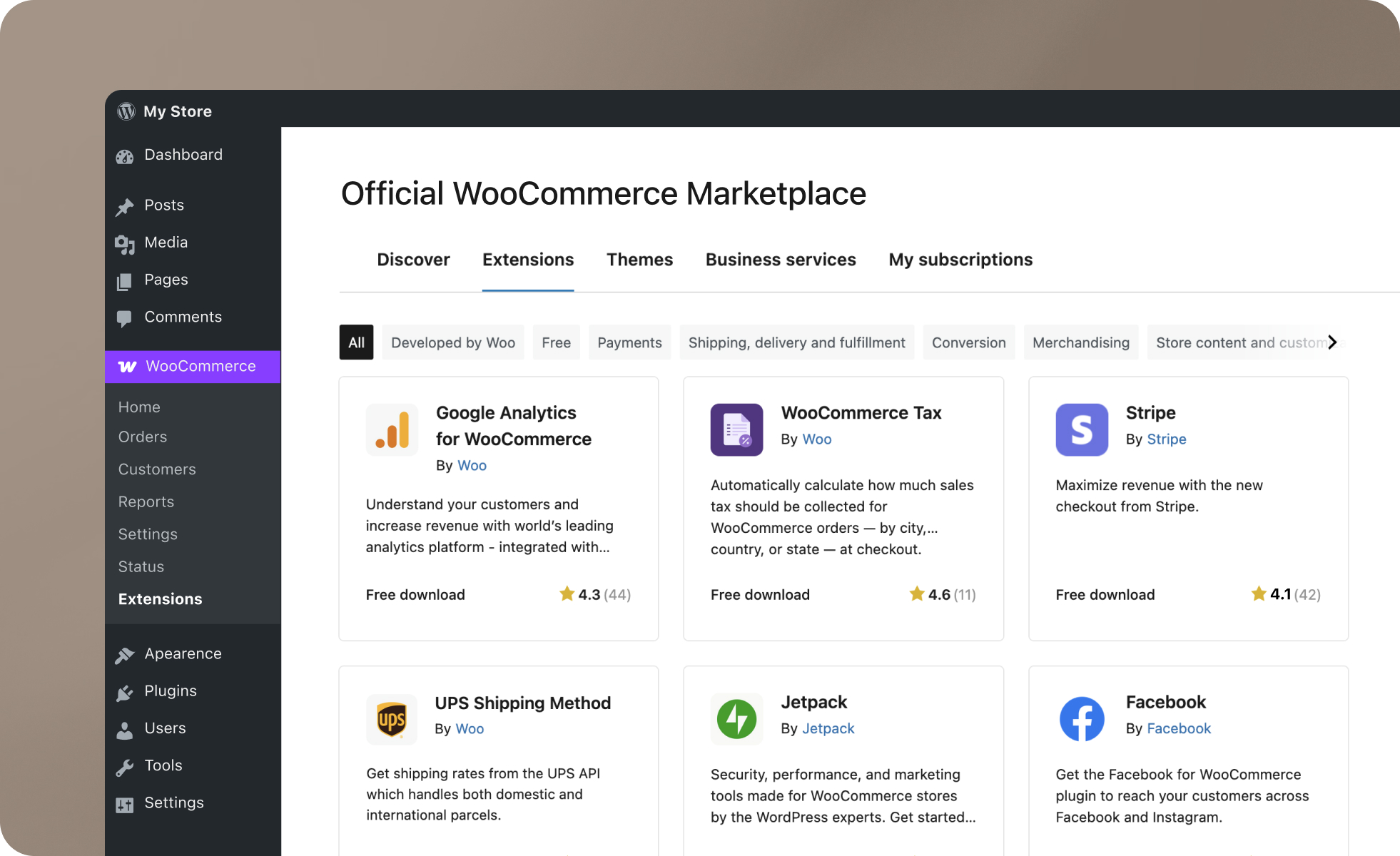
WordPress & WooCommerce
The software itself is free, but you will need to pay for hosting, a domain name, and premium plugins. It offers the best SEO capabilities on the market because it is built on WordPress. The downside is that you are the captain of the ship. If the site breaks, or if a plugin update clashes with your theme, it is on you to fix it. It is not as “set it and forget it” as Shopify, but it is significantly cheaper in the long run if you know what you are doing.
I usually recommend this to clients who are serious about building a brand asset they actually own, rather than renting space on someone else’s platform. You have full ownership of your customer data, and you are never at the mercy of a platform changing its terms of service or banning your account arbitrarily.
However, you need to be prepared for the maintenance. You (or your developer) need to stay on top of PHP updates, plugin compatibility, and server security. If you ignore a WooCommerce site for six months, you will likely come back to a broken site or a security vulnerability. It is a professional tool that requires a professional mindset.

WordPress & Easy Digital Downloads
It handles file protection exceptionally well, ensuring people can’t share your download links for free. The interface is clean, and it plays very nicely with most WordPress themes. Like WooCommerce, the core plugin is free, but you will likely need to buy “Passes” or extensions for features like recurring subscriptions or specific payment gateways.
It is a niche tool, but it is the best tool for that specific niche. If you have no intention of ever shipping a box to a customer, skip WooCommerce and use this. Your site will load faster and be easier to manage. It also has excellent reporting tools that are specifically designed for digital goods, showing you file download logs and customer lifetime value clearly.
The main drawback is that the ecosystem is smaller than WooCommerce. There are fewer third-party themes and plugins dedicated to EDD. If you decide one day you want to start selling t-shirts alongside your ebooks, you will find it awkward and difficult to bolt that functionality on, whereas WooCommerce handles both natively.

Magento (Adobe Commerce)
It requires expensive hosting, complex coding knowledge, and significant maintenance. It is not a tool for building a shop in “minutes”—it is a tool for building an empire over months. That said, if you are planning a store with 50,000 products, multiple languages, and complex B2B pricing tiers, Magento is the king. It can handle complexity that would make Shopify or WooCommerce crumble.
Just be prepared for the bill. Development costs for a basic Magento store often start in the tens of thousands. It is built for developers, not for merchants. The backend interface can be overwhelming and intuitive simple tasks often require digging through complex configuration menus.
If you are just starting out, Magento will slow you down. It is like buying a Formula 1 car to drive to the grocery store. It is impressive technology, but the maintenance and specialized fuel (hosting) will bankrupt you before you even make your first sale. Stick to the simpler options until you are making millions in revenue.
Final Thoughts: It’s all about your business model
Choosing the right platform comes down to your technical comfort level and your business model. If you want to sell fast without headaches, pay the premium for Shopify. If you want a beautiful portfolio that sells on the side, go with Squarespace.
On the other hand, there are newer marketplaces that try to replace the old classic methods of selling online, and they typically promote your products and make them discoverable from within their own marketplace. Usually, you can start completely for free, and in addition, the platform keeps a fee for each sale. It takes less than 5 minutes to launch your store.
However, if you want to own your kingdom and keep costs low in the long run (and aren’t afraid of a few updates), WordPress with WooCommerce remains the best open platform on the web. Pick the one that fits your skills, and start selling.


