


Although there are hundreds upon hundreds of AI tools right now, and more are about to get released this year, not all of them are designed specifically for writers and site owners. Then again, you constantly have to copy the outputs, clean the text, and then paste it.
- Installing, activating, and using Rank Math SEO’s AI
- Other ways to automate your site with Rank Math SEO’s AI
- 1. Using the ‘AI Assistant’ block
- 2. Using Rank Math’s ‘AI Tools’
- 3. Chat with RankBot
- 4. Automatically fix things
- Making your site indexable for AIs (LLMs)
- How I’ve been using Rank Math’s AI Assistant
- FAQs
- Can I truly write my blog posts automatically with RankMath?
- Do I need any other third-party plugin or subscription?
- How do I set up Rank Math SEO’s AI on my WordPress site?
- What kinds of tasks can AI automate on my WordPress site?
- Is Rank Math’s AI automation only for blog posts?
- What is the LLMs.txt file?
- What are Rank Math’s ‘Coins’ and how are they’re consumed?
- Is it safe to automate my site with AI?
A few months ago, one of my clients called me out of the blue. It wasn’t about work, but for a problem she was facing. A few days earlier, she had an accident, and since doctors told her that she needed to rest her hands and fingers, something that would take at least a few weeks if not more than a month, she couldn’t type.
Her blog is her primary income source, and luckily, she already had a lot of drafts in WordPress that just needed to be checked for any grammar mistakes, make a few changes here and there, and some were half-written.
She tried ChatGPT, Google Gemini, Claude, and even Grok, but none of them actually offered her the content she was after. Not without adjusting it all the time and asking it a hundred times to rewrite it. Copy-pasting all the time doesn’t help either, and there are many fields inside WordPress that AI tools just can’t detect and automatically fill with content.
As of this moment of writing, there’s not even a single client of mine who doesn’t have Rank Math SEO installed. She was using it, too, but she didn’t know that Rank Math could actually automate her whole site, and especially her blog posts. She also didnt knew that it was so easy, anybody could learn how to do it within a few minutes.
Then, it hit me: many of you may actually not even know about it. So why not write about it?
If you’re a content creator or a site owner who wants to automate your website, this is arguably one of the best ways to do it. But if you haven’t heard about Rank Math SEO before, here’s a quick heads-up:

Installing, activating, and using Rank Math SEO’s AI
First, if you haven’t used Rank Math SEO in the past, you’ll have to download and install it. Don’t worry if you’re using any other SEO plugin like Yoast, All in One SEO, or any other; Rank Math will automatically migrate all of your data with a simple click.
-
Create an account
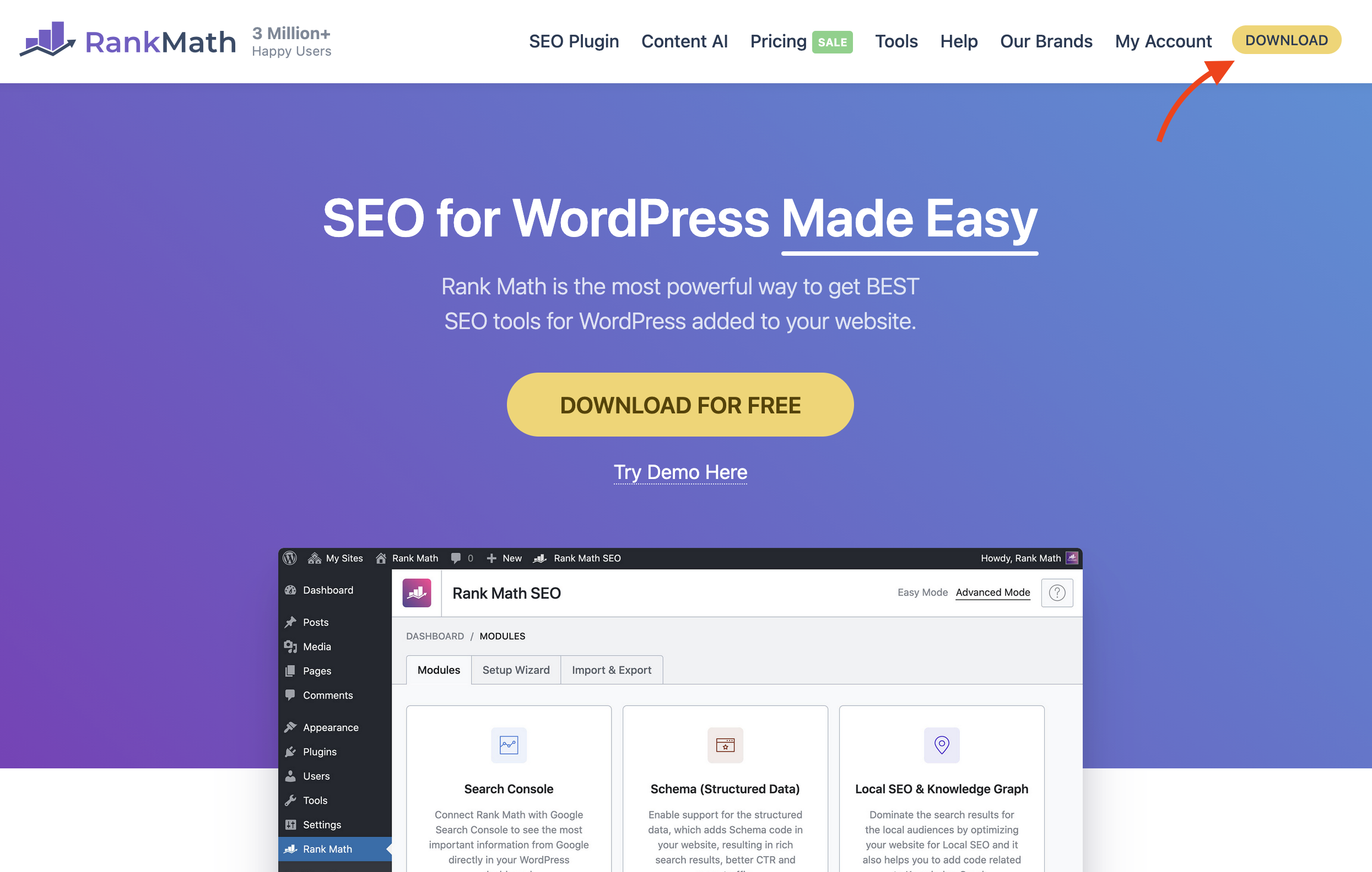
First, visit RankMath.com and create an account by clicking on the “Account” option in the top right corner.
-
Choose the right subscription

Once your account is created, head over to Rank Math’s Content AI Pricing page and select one of the available subscriptions. If you don’t know which one, scroll down to the “FAQ” section of this site where I explain more.
-
Install and connect Rank Math on WordPress
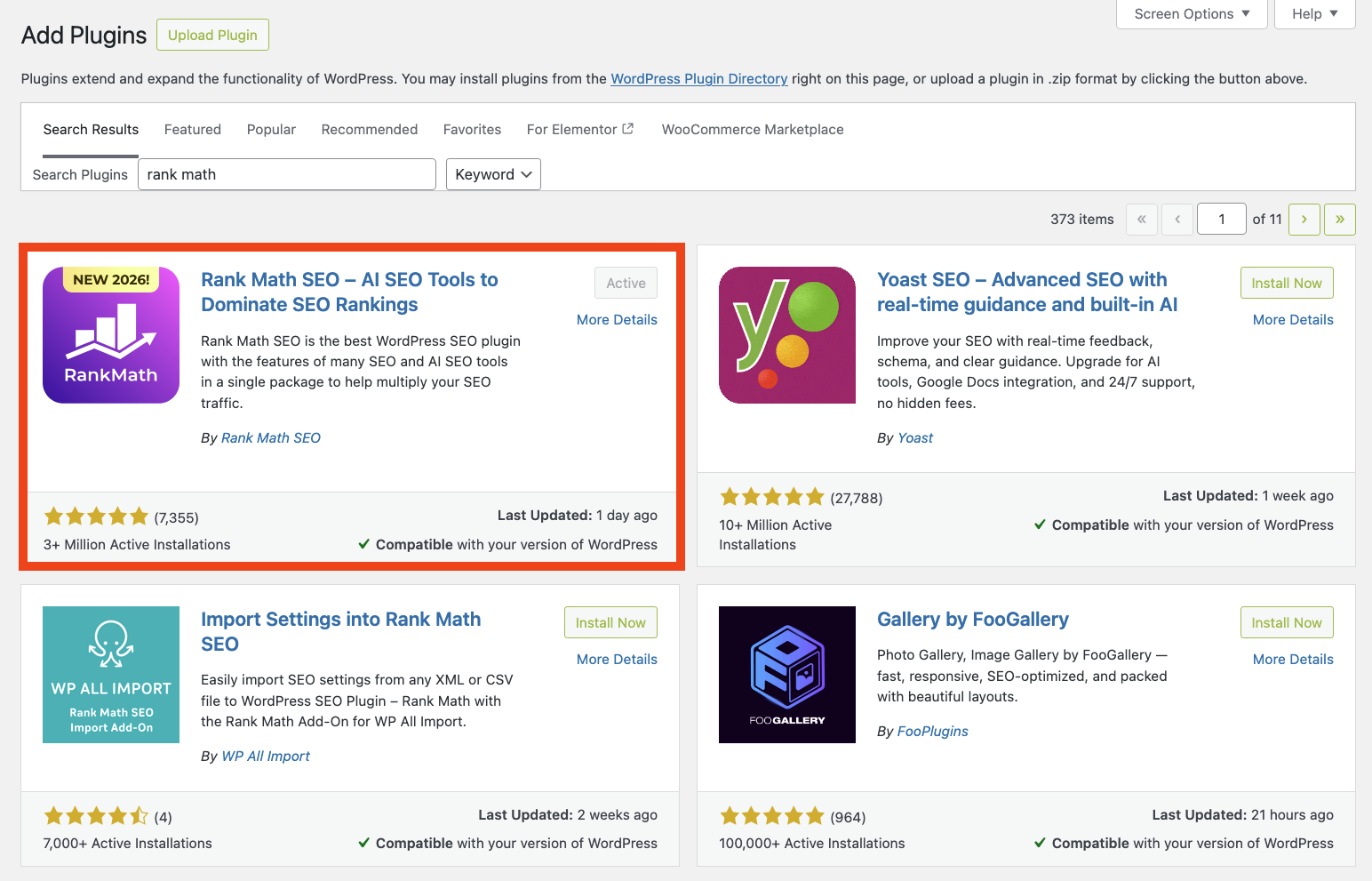
Now that you have your account along with a subscription, sign in to your WordPress site and go to Plugins -> Add new -> and search for ‘Rank Math SEO‘.
Click on “Install” and “Activate“.
-
Sign in and migrate all your data
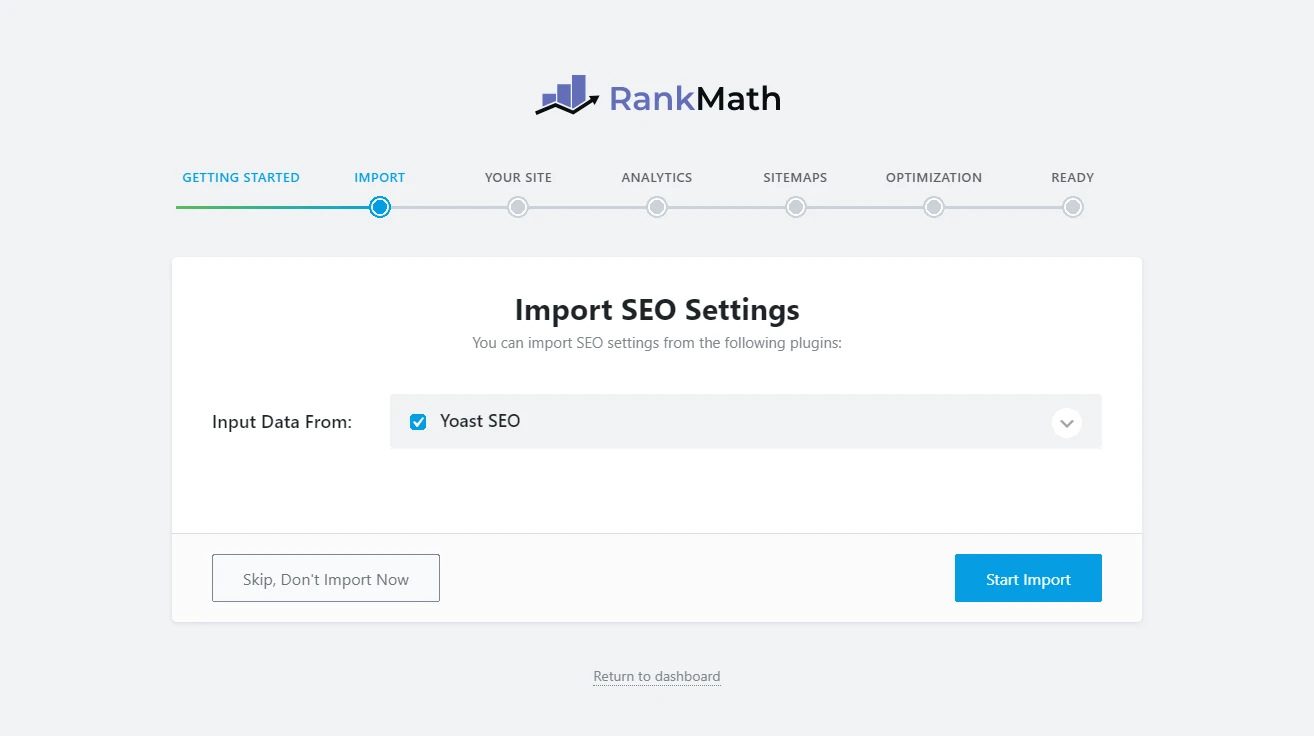
Once you enable the plugin, it will ask you to sign in with your account (the one that we just created). If you have another SEO plugin, just import all the data.
With 1 click, Rank Math SEO will analyze and import everything. Don’t worry, all the keywords you ever added to your articles and pages will stay intact.
-
Go to any article or blog post
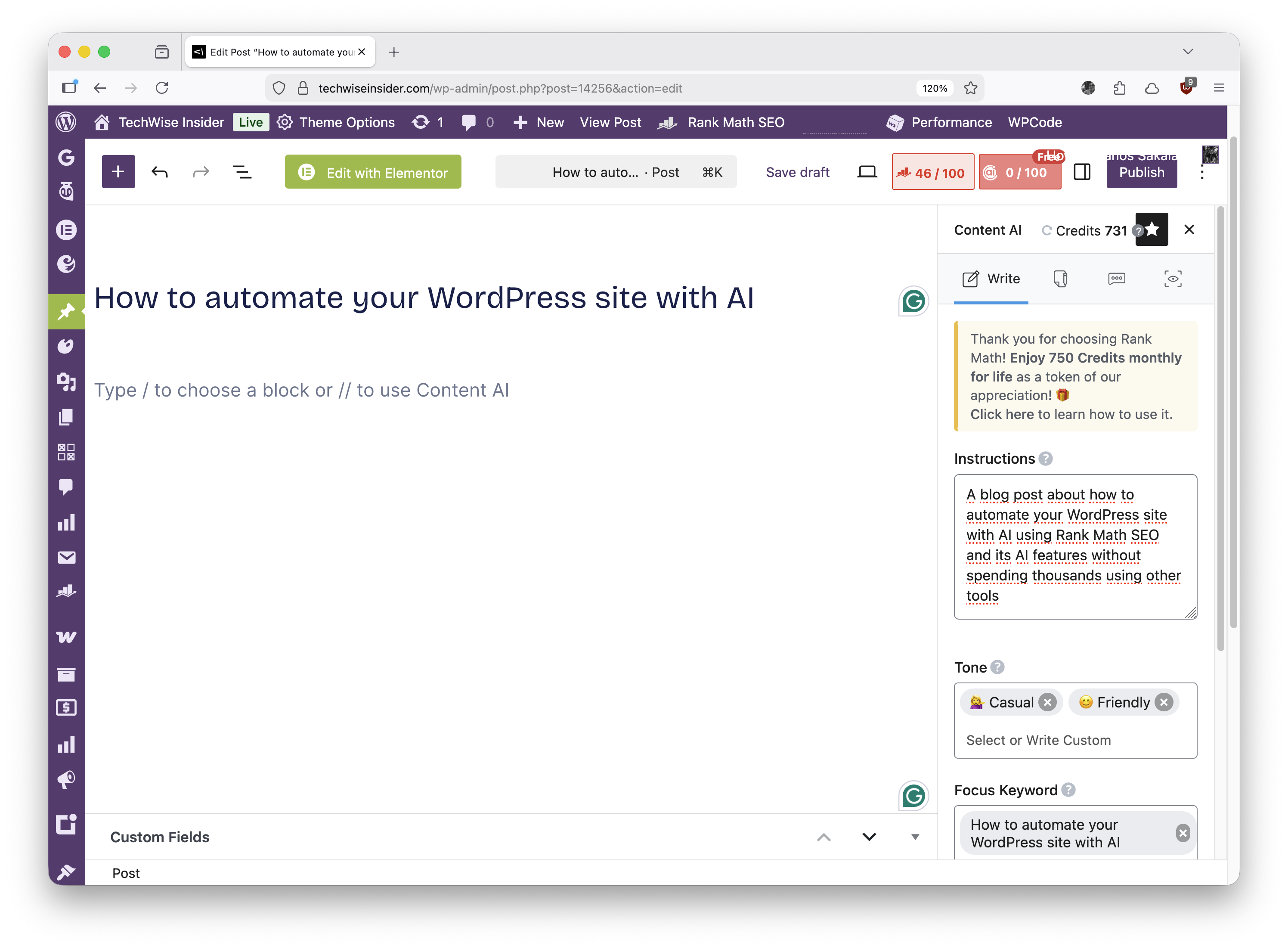
Now that everything’s done, you can start automating your site. Edit a page or blog post, and you’ll find Rank Math’s AI option in the top right corner.
1. Fill out the ‘Instructions‘ field, which tells AI what to write (e,g: “Write me a tutorial for Rank Math’s AI features and why people love them”).
2. Change the Tone (e,g: formal, friendly, casual, creative, technical, etc.).
3. Add your focus keyword.
5. Choose the length (e,g: short, medium, or long), and click the “Generate” button.


Other ways to automate your site with Rank Math SEO’s AI
This is one of the ways to automate your site with Rank Math, but there are actually a few more ways, including using it to find ideas for your next articles.
1. Using the ‘AI Assistant’ block
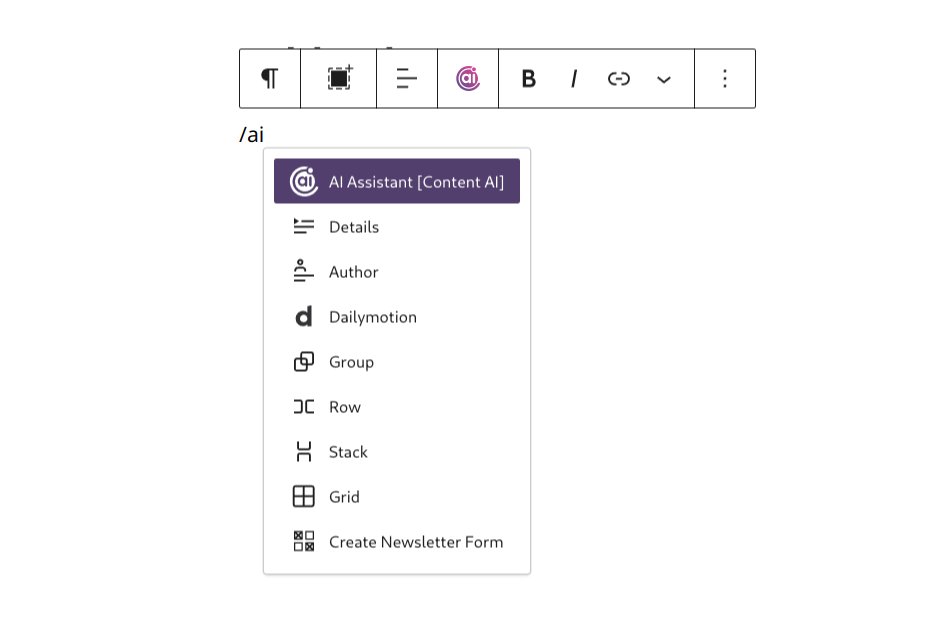
For example, you can just type in the Gutenberg editor /ai, and you’ll immediately find the ‘AI Assistant’ block at the top.
Then, just start typing everything that you want the AI to output in your article.
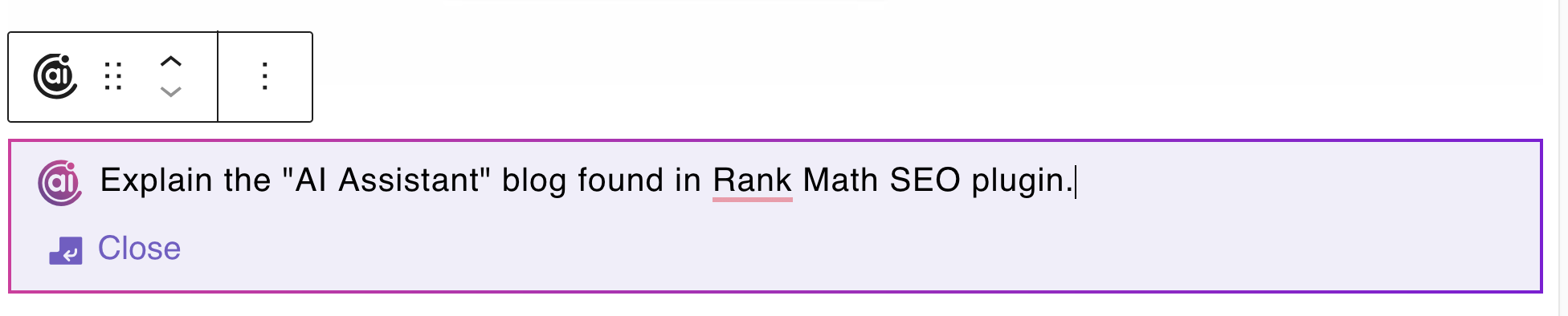
And here’s the first output it gave me:
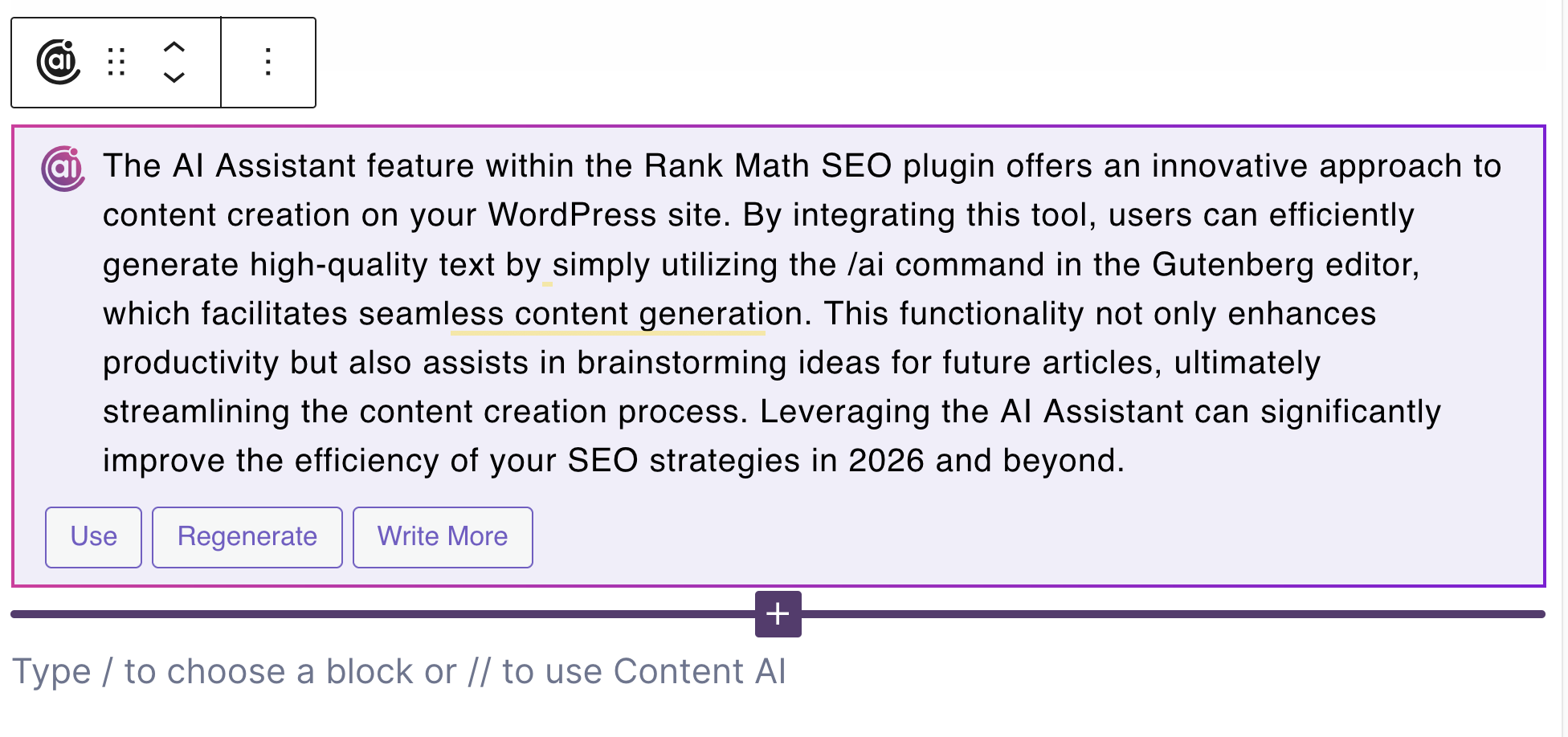
A great thing about the AI Assistant is that instead of writing the whole thing at once, it’s going to give you a short example, and you can decide if you want it to continue writing everything, regenerate the same content, or use it if you’re happy with it.
That actually saves a lot of usage coins when using the AI Assistant, because if you don’t like the output, it would be a shame to use more coins for it. If you’re not happy with the first short output, feel free to adjust its settings and use a tone, a category, etc.
2. Using Rank Math’s ‘AI Tools’
Yes, that’s with an ‘s’ in the end. Rank Math has multiple tools specifically designed for writers and site owners who want to go “deeper” with their automation.
There’s literally a whole list of different tools that you can use for any case.
- Are you a food blogger? Use the ‘Recipe‘ tool.
- Are you a podcaster? There’s the ‘Podcast Episode Outline‘ tool.
- Want to generate a short tweet? Use the ‘Tweet‘ or ‘Tweet Reply‘ tools.
- One a complete blog post? Use the ‘Blog Post Wizard‘.
- Want ideas? Use the ‘Blog Post Idea‘ tool.
And you get the point. Rank Math has included many different tools, whether you want to generate content, ideas, titles, SEO meta or titles, video descriptions for YouTube, and so much more.
3. Chat with RankBot
Yep, you’ve heard that right, Rank Math has its own AI bot called ‘RankBot‘ (cool name), and it’s all about asking your questions and learning from its outputs.
For example, you can ask RankBot to explain what a good linking structure looks like when linking between your articles. What those errors that you’re getting are and how to fix them. How to increase your SEO score even further, and so much more.
4. Automatically fix things

That’s absolutely one of my favorite features, and one that saved me a lot from explaining to my clients why they can’t pass a specific SEO issue that Rank Math reports.
Now? With just 1 click, Rank Math will take care of all that trouble automatically.
You can find the “Fix with AI” button for every error that you’re getting.
Making your site indexable for AIs (LLMs)
With the rise of LLMs, instead of using just the classic robots.txt file that we used to do all those years, now a new file is created just beside it: the llms.txt file.
Basically, this file does one thing: it tells large language models to either scrap your content or not, exactly as the robots.txt file works. You can enable this by going to Rank Math SEO -> Dashboard -> Modules and activating the LLMs Txt module.
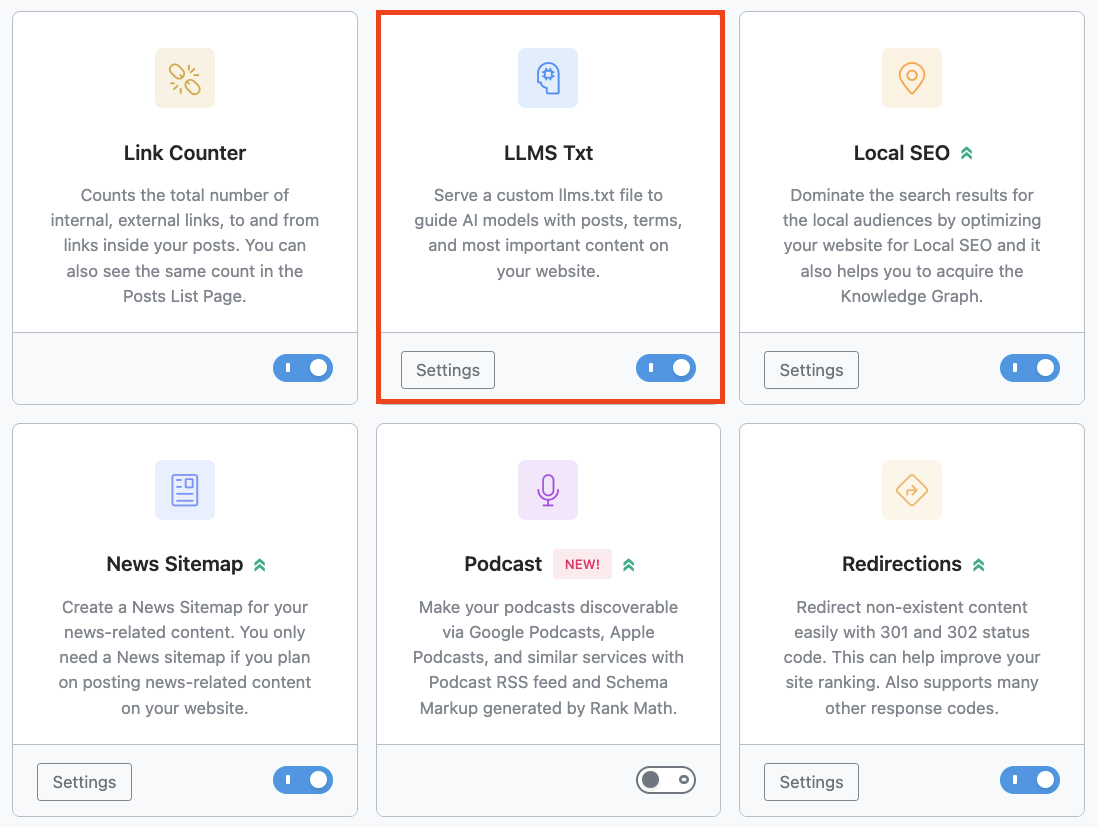
Click on the “Settings” button after that.
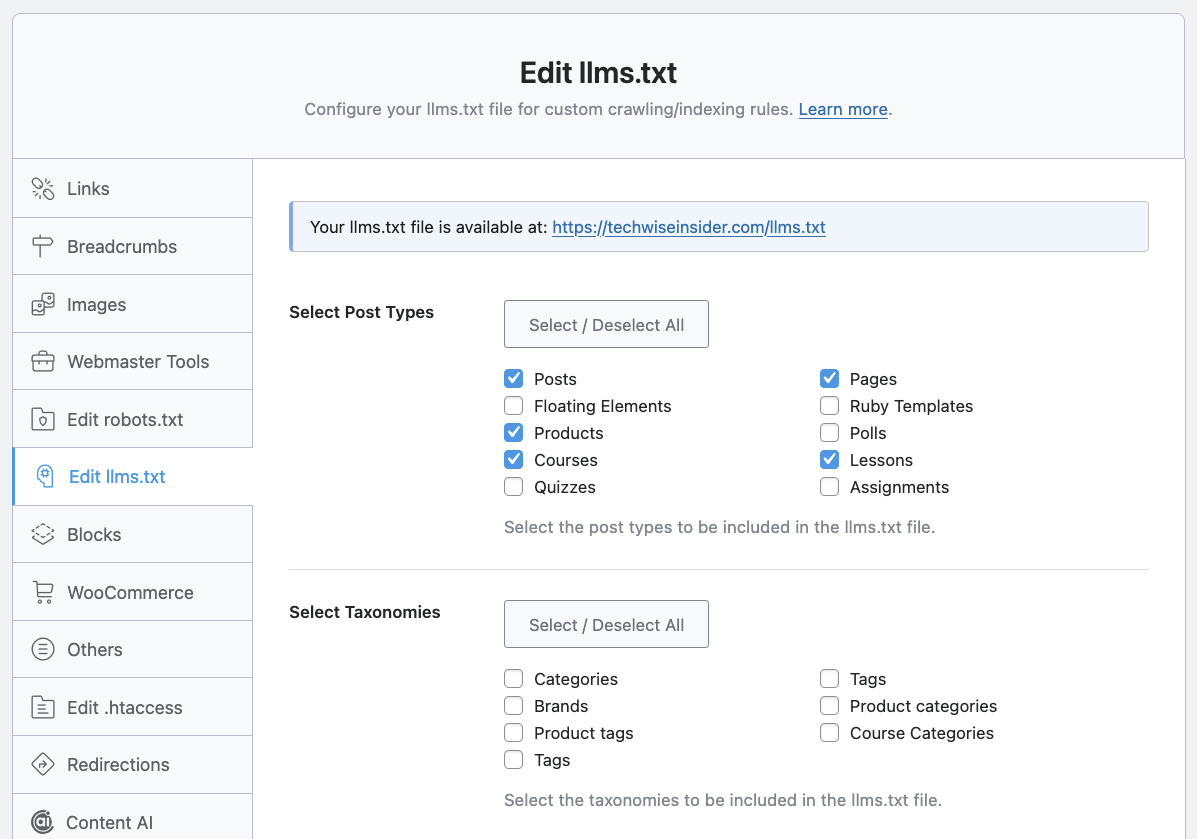
On the next page, you’ll find all the options to adjust your llms.txt file, including selecting which types of content (post, pages, podcasts, products, courses, and more) and taxonomies (categories, tags, etc.) you want to be included or excluded, the maximum number of links, and more.
How I’ve been using Rank Math’s AI Assistant
I’m a writer because I love writing. That’s a ritual that artificial intelligence just can’t take away from me. But that doesn’t mean I don’t use AI tools for researching, vibe-coding, getting more ideas, or finding missing things I could have included in my articles to make them better.
But sometimes, just when I can’t find the right words to quickly explain something to my readers, I use Rank Math’s AI Assistant to help me quickly explain it. Then, I go ahead and rewrite most of it, or start typing my own paragraph now that I saw the words I needed to use in order to describe it more properly.
There are many ways to benefit from Rank Math’s AI Assistant if you don’t want it to write everything for you. My client used it to help her complete and publish all her draft posts in a time of need. Others use it to find new ideas or fix their errors.
Or, you know, you can also use it to completely automate your writing; it’s up to you.
FAQs
Can I truly write my blog posts automatically with RankMath?
Yes, Rank Math’s AI Assistant can write as many words as you want. First, it will generate a short paragraph to give you an example of what it’s about to write about, and if you let it continue, it will complete it. You can also choose to make a paragraph or specific parts of your articles longer, more detailed, and with new information added, which can significantly increase the size of your content.
Do I need any other third-party plugin or subscription?
No, you only need one Rank Math subscription, and you’re good to go. There’s no requirement for third-party plugins, services, or AI APIs.
How do I set up Rank Math SEO’s AI on my WordPress site?
After installing the plugin, you connect it with your Rank Math account, import any existing SEO settings (like from Yoast), and then use the AI options within the post editor to generate or improve content.
What kinds of tasks can AI automate on my WordPress site?
AI can assist with generating blog content, fixing SEO issues automatically via “Fix with AI,” brainstorming post ideas, improving readability, and even offering optimization suggestions with RankBot.
Is Rank Math’s AI automation only for blog posts?
No, Rank Math’s AI tools also help with meta titles, descriptions, SEO fixes, idea generation, and interactive tasks like site error resolution beyond content creation. You can use it for your pages, recipes, podcasts, and every other custom page that you’ve created.
What is the LLMs.txt file?
The LLMs.txt file makes your site more easily indexed by large language models and search systems, helping the overall automation and discoverability of your site’s content. You can easily adjust its settings (or create it) using Rank Math.
What are Rank Math’s ‘Coins’ and how are they’re consumed?
Rank Math uses a credit-based system for its AI Assistant and all the AI-powered tools it provides. These credits are essentially the “coins” you spend when using its AI features, and 1 credit is used for every word written.
Is it safe to automate my site with AI?
While AI automation is powerful, it’s crucial to supervise your content for all the changes that the AI makes. LLMs can still make a lot of mistakes.
Fun fact: The “How-To” guide you saw above, along with the “FAQ List”, are both created using the “HowTo” and “FAQ” blocks on WordPress by Rank Math.
If you guys face any trouble, you can always leave your comment down below. If you’ve already used it, let me know how your experience was.
P.S. This site also uses Rank Math. Actually, I’ve been using the SEO plugin since 2021, and I don’t see myself switching from it anytime soon. Not because it’s hard, but because I can’t find any alternative that can beat it.


Thank you very much. You did a great job. It was a useful piece of content; it helped me.
Happy to help, let me know if you have any additional questions! 🙂
I found that AI tools became much more useful once I understood the fundamentals and could review their suggestions instead of accepting everything automatically.
One practical tip is to automate repetitive tasks while still checking the final output, and Programming concepts list has been a helpful reference for building that habit.