After years of waiting for hosting providers to finally give us an easy way to install and run the platform, we’re finally in that exact spot, where launching a new Ghost blog, newsletter, or membership website is a 5-minute process.
- Get a cheap .com domain name
- Grab a cheap Ghost Hosting plan
- Choose a Ghost Hosting plan
- Create an account and choose a name
- Verify your new account
- Login to your new Ghost blog
- Setup your Ghost blog or newsletter
- Customize and launch your Ghost blog
- Upgrade from Trial to Paid
- Add your domain name to MagicPages
- Update your domain’s DNS Records
- Design your Ghost blog with a beautiful theme
- FAQs
Actually, unlike other popular platforms, like WordPress, I found an even easier way to start a Ghost blog, and it’s also very affordable. So, here’s how to start your new Ghost blog, newsletter, or membership site faster, easier, and cheaper than ever before:
Get a cheap .com domain name
First things first, you’ll need a domain name. The .com extension is, arguably, the most recommended and popular choice. But if the name is unavailable and it’s available for purchase but at a higher price and nobody’s using it, feel free to use newer options like .co or .io, like many folks and businesses do these days.
Personally, I get all my domain names from NameCheap. As the name suggests, they offer domain names at affordable prices, and new users also get an extra discount for their first purchase. You can get as many as you like, have them automatically renewed each year, and point them everywhere you want them to redirect your visitors.
Here’s the steps to get your first domain within minutes:
- Visit NameCheap.com, type a name, and search for its availability.
- Once you find the ‘perfect’ domain, click on the “Add to Cart” button.
- Go to the Cart page (at the top right corner) and click “View Cart“.
- In the “Promo Code” field, add the code
MATRIXTLD25to receive a -50% discount offer. - Make sure the “Domain Privacy” is enabled, and click on “Confirm Order“.
- Sign up for a new account, add a payment method, and complete the purchase.
Great, now if you head over to your NameCheap account’s Dashboard page, you should find your new domain name there. Don’t worry if it’s still not activated; give it a few minutes.
Grab a cheap Ghost Hosting plan
The biggest problem that makes most people avoid Ghost is its setup process. If you don’t want to pay $18 or $28 per month for one of the official plans, you can either grab yourself a server, install, setup, and maintain Ghost, or get a hosting plan that does all of that automatically (and it’s actually a lot cheaper). We’re going with the last option.
There are a few great options when it comes to getting a hosting plan for Ghost. DigitalOcean is arguably the most popular one, but it’s too complicated for beginners and non-skilled folks. Then you get Hosting.com and DigitalPress, both great options right now.
But for today’s guide, we’ll be using my personal favorite: MagicPages.
There are many reasons why I’m choosing this specific provider, but I won’t bother you with the technical details. What you need to know is that whenever you need help or have any questions, you get support straight from Jannis, the guy behind MagicPages. That’s absolutely crucial for beginners who’ve never used Ghost, and everyone who hates talking with AI chatbots and assistants instead of real human beings.
Oh, did I forget to mention that he’s offering a 14-day free trial for all of its plans? Yep, no credit card required, and you get a temporally sub-domain to view and test your new blog or newsletter.
Here’s a quick guide on starting a new Ghost blog or newsletter within the next 5 minutes:
-
Choose a Ghost Hosting plan
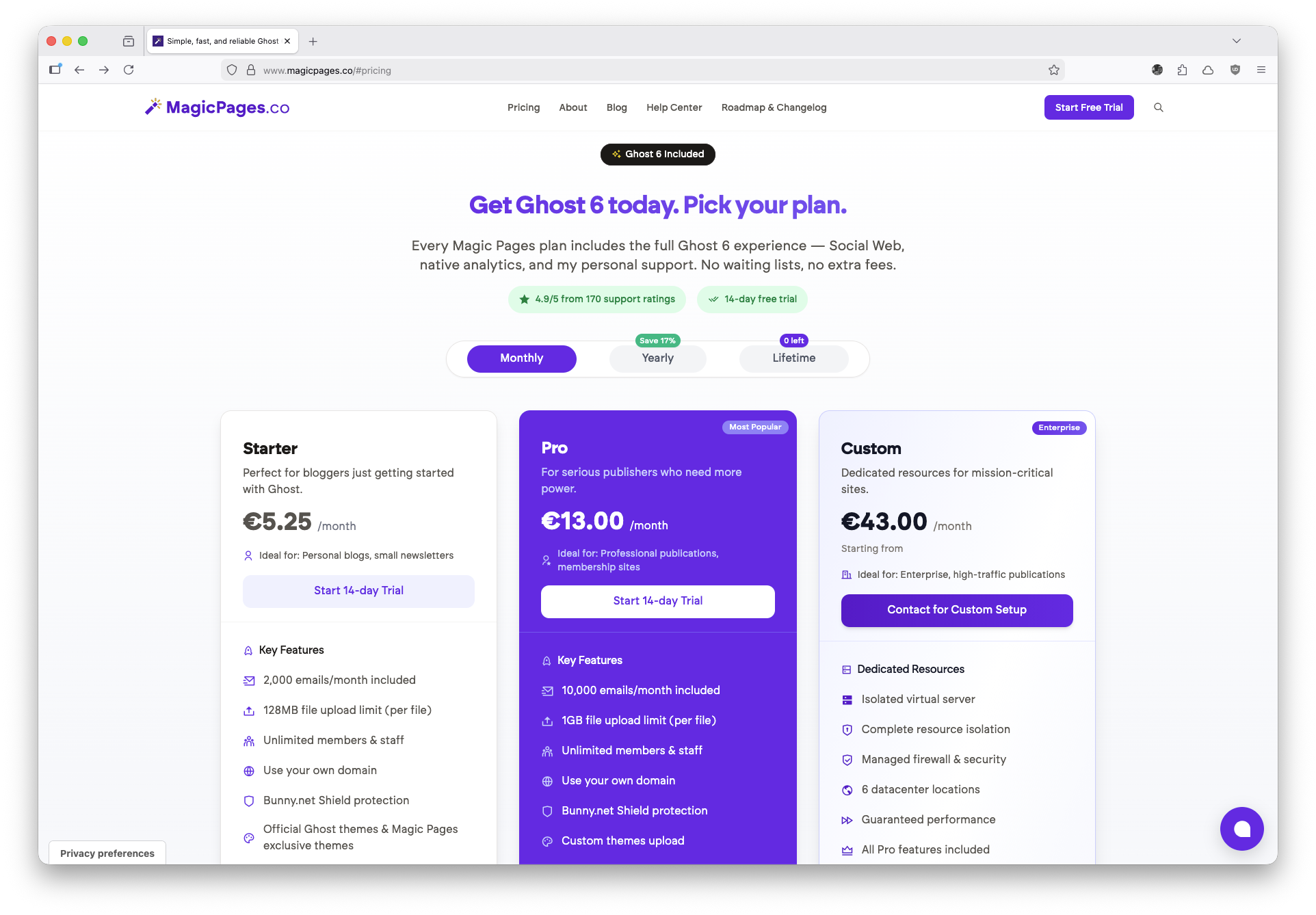
Visit MagicPages, choose one of the available plans, and click on the “Start 14-day Trial” button.
-
Create an account and choose a name
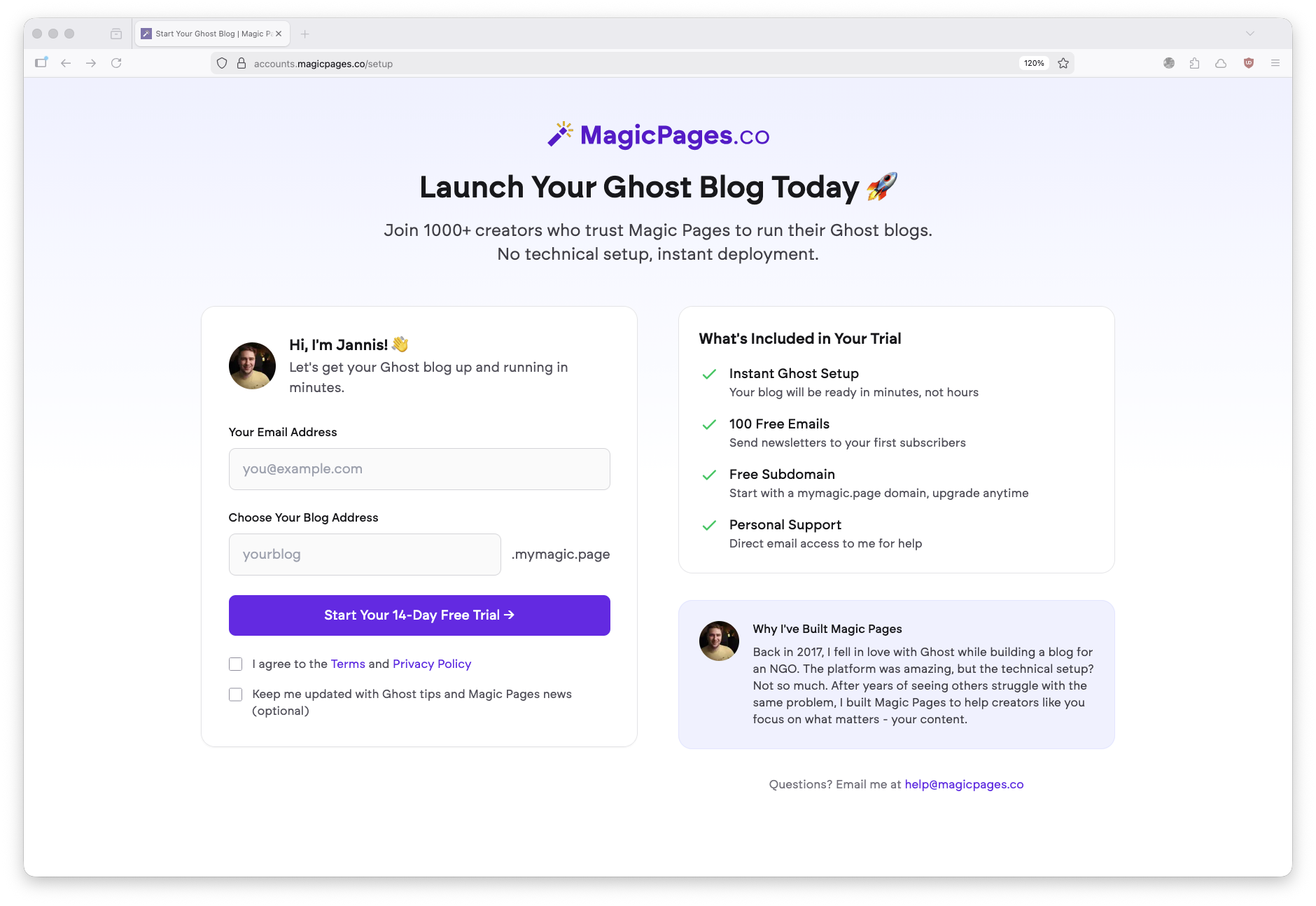
Fill out the email address where you’ll receive all news and updates about your new Ghost blog, and choose a subdomain that you can use until you get your own domain.
-
Verify your new account
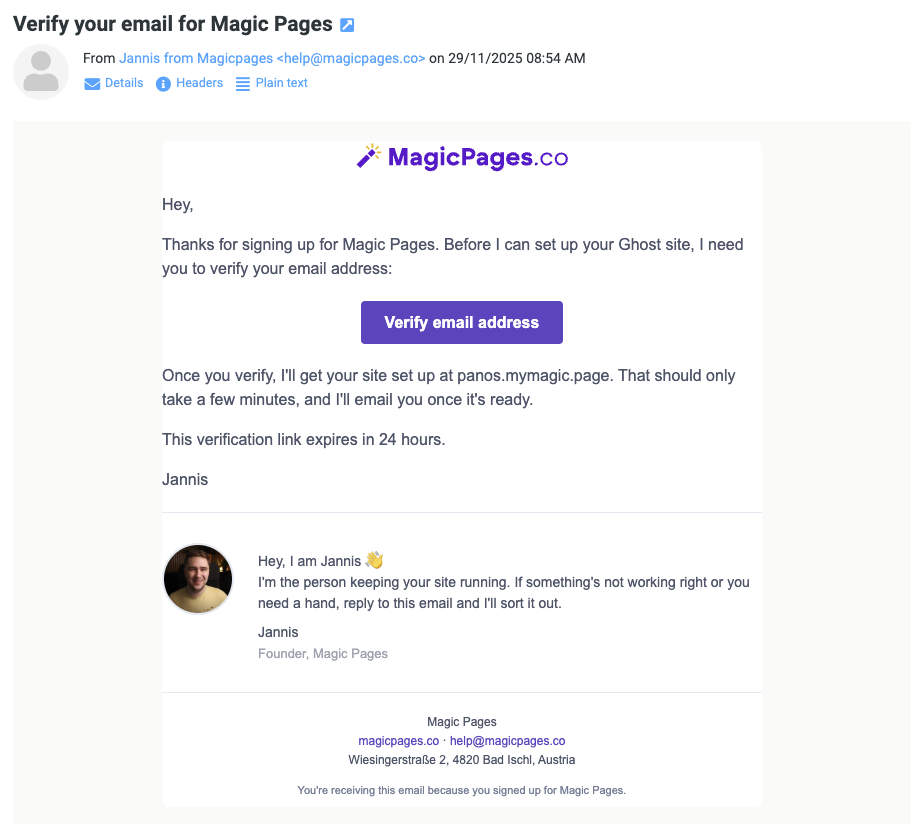
Once you do that, MagicPages will ask you to verify your email address by clicking on the “Verify email address” button that you’ll receive a few seconds later in your inbox (please check your junk folder too).
-
Login to your new Ghost blog
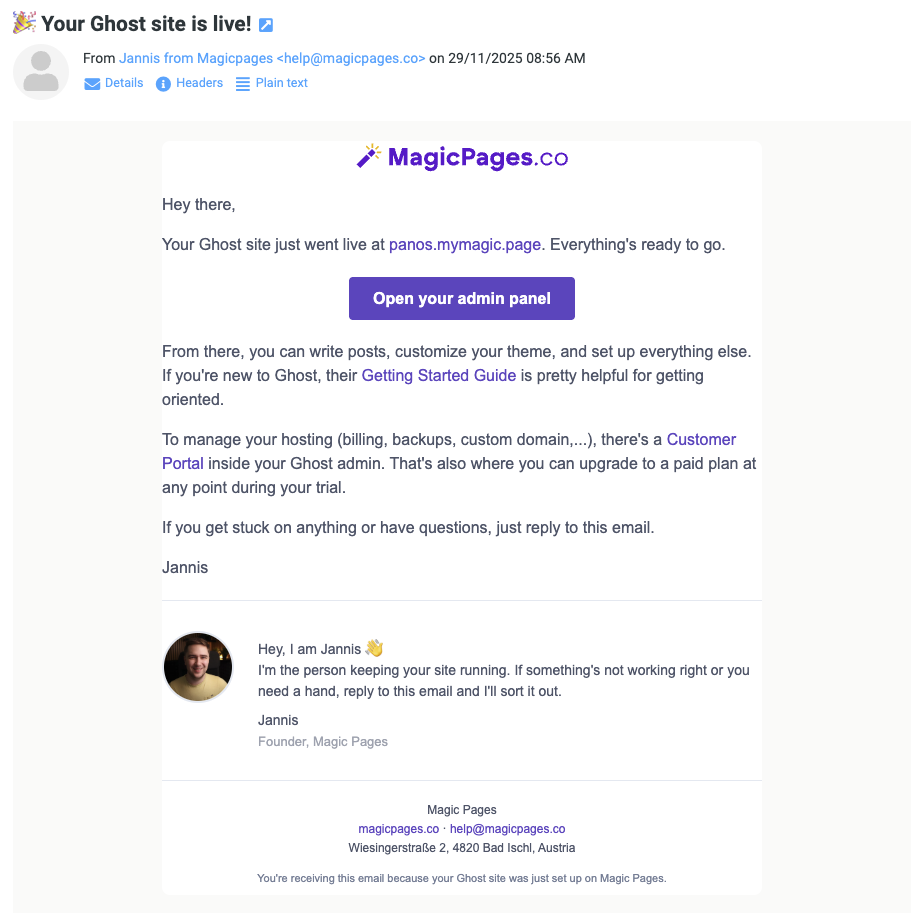
MagicPages will spend the next couple of minutes creating and setting up your new Ghost blog. Once it’s ready, you’ll receive an email with the link to access it.
-
Setup your Ghost blog or newsletter
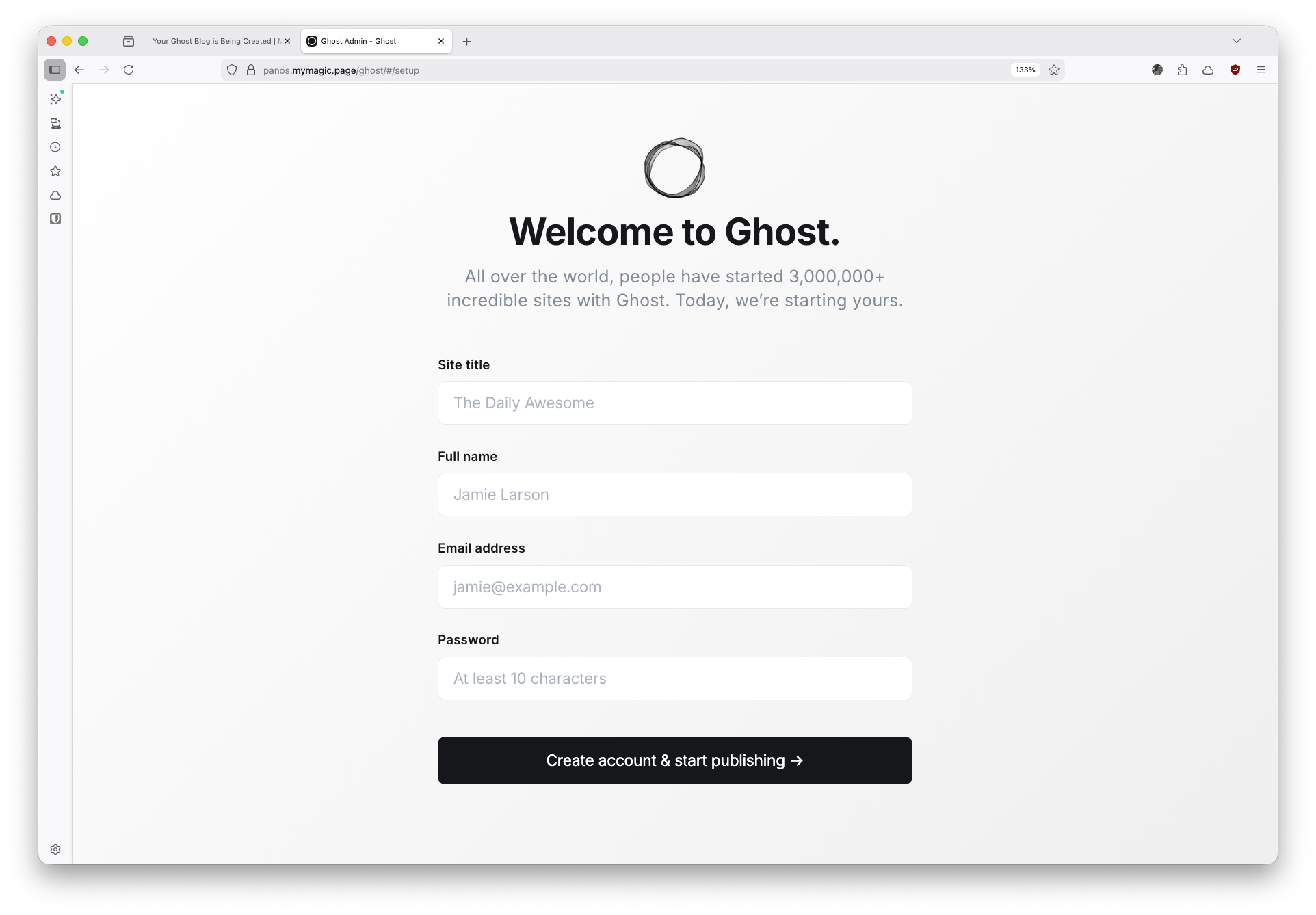
This is where we give our new blog/newsletter a title, our full name, an email address, and of course, a strong password that we’ll be using to access our admin account.
-
Customize and launch your Ghost blog
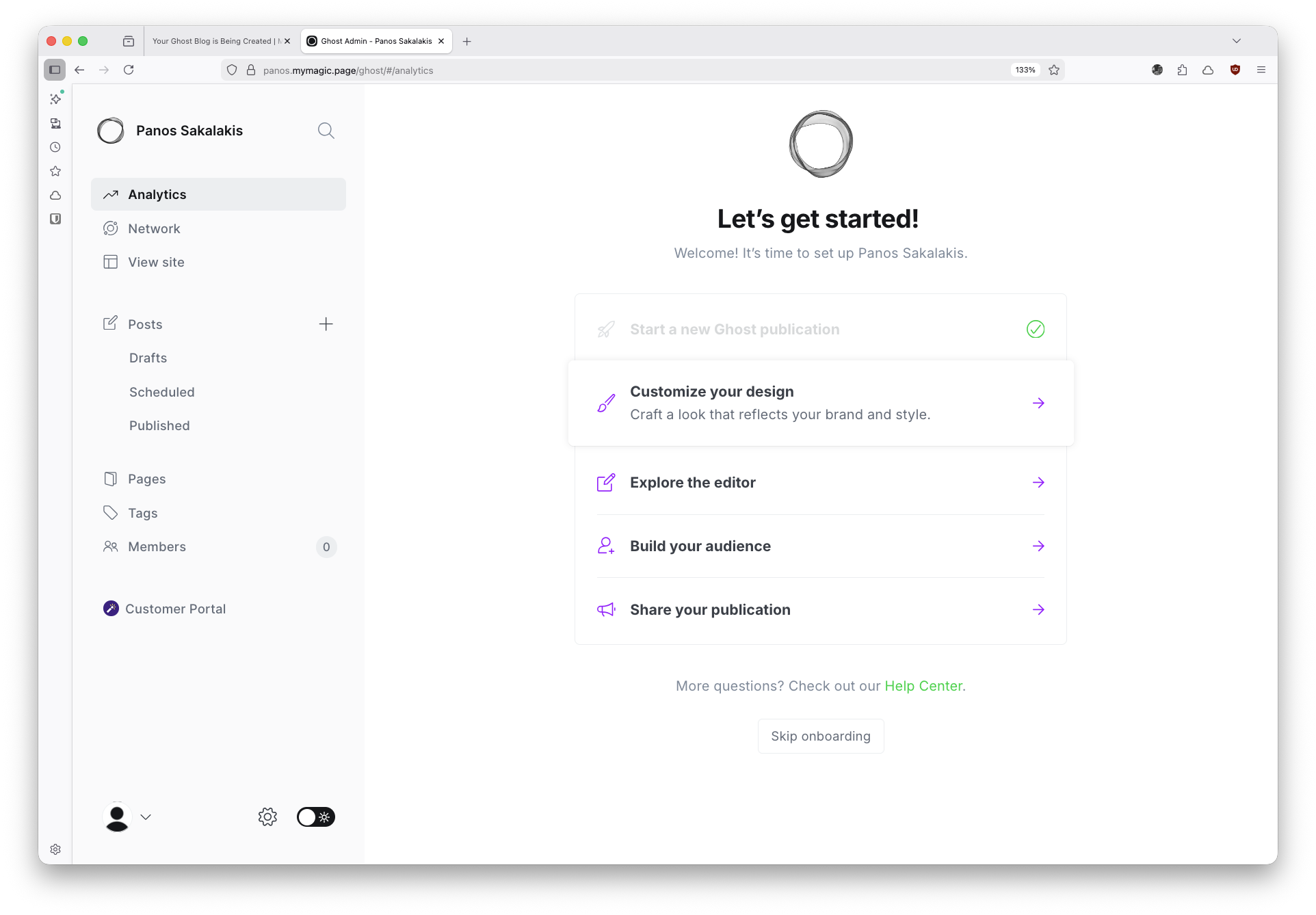
That’s the final step (for now), where you can customize your new blog/newsletter by choosing a theme, creating your basic pages, and writing and publishing your first articles or newsletters. You have a whole 14 days to do all of that and have it ready for launch.
-
Upgrade from Trial to Paid
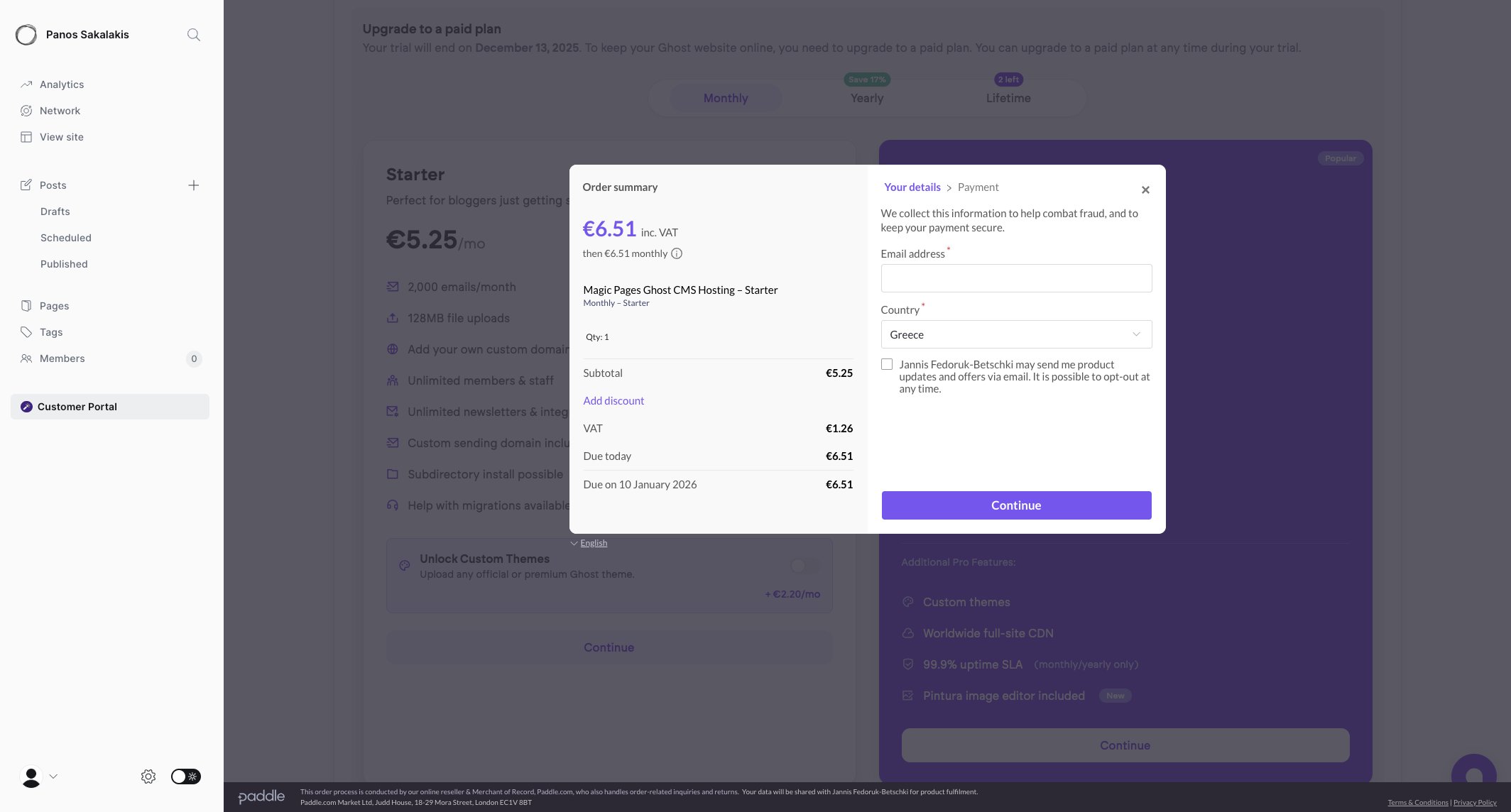
From your Ghost admin dashboard, click on the “Customer Portal“, which is located in the left sidebar along with all the other options. Choose a subscription plan and click on “Continue“. Fill out your details and complete the payment.
-
Add your domain name to MagicPages
Once you complete the payment and your Ghost hosting account is premium, head over to the Customer Portal, click on the “Domain” tab, then “Edit Domain“, and enter the domain that you bought earlier from NameCheap (e.g.,
example.com). Don’t forget to save the changes once you’re done. -
Update your domain’s DNS Records
A list of DNS records required for the new domain will appear. Head over to NameCheap, login to your account, and from the Dashboard page, just click on the “Manage” option, and add all the DNS records that MagicPages gives you.


Usually, they recommend waiting at least 24 to 48 hours until the DNS settings are fully applied everywhere and your new Ghost blog is accessible. But, as we often see nowadays, this process is typically faster, and new domains become available within 3-6 hours after you apply the changes.
If you’re facing any issues, you can’t find an option, or something’s not working as expected, head over to the MagicPages’ Help Center page and look for the solution. If you can’t find it, there’s a live chat available to contact Jannis or send him a message at help@magicpages.co.
Design your Ghost blog with a beautiful theme
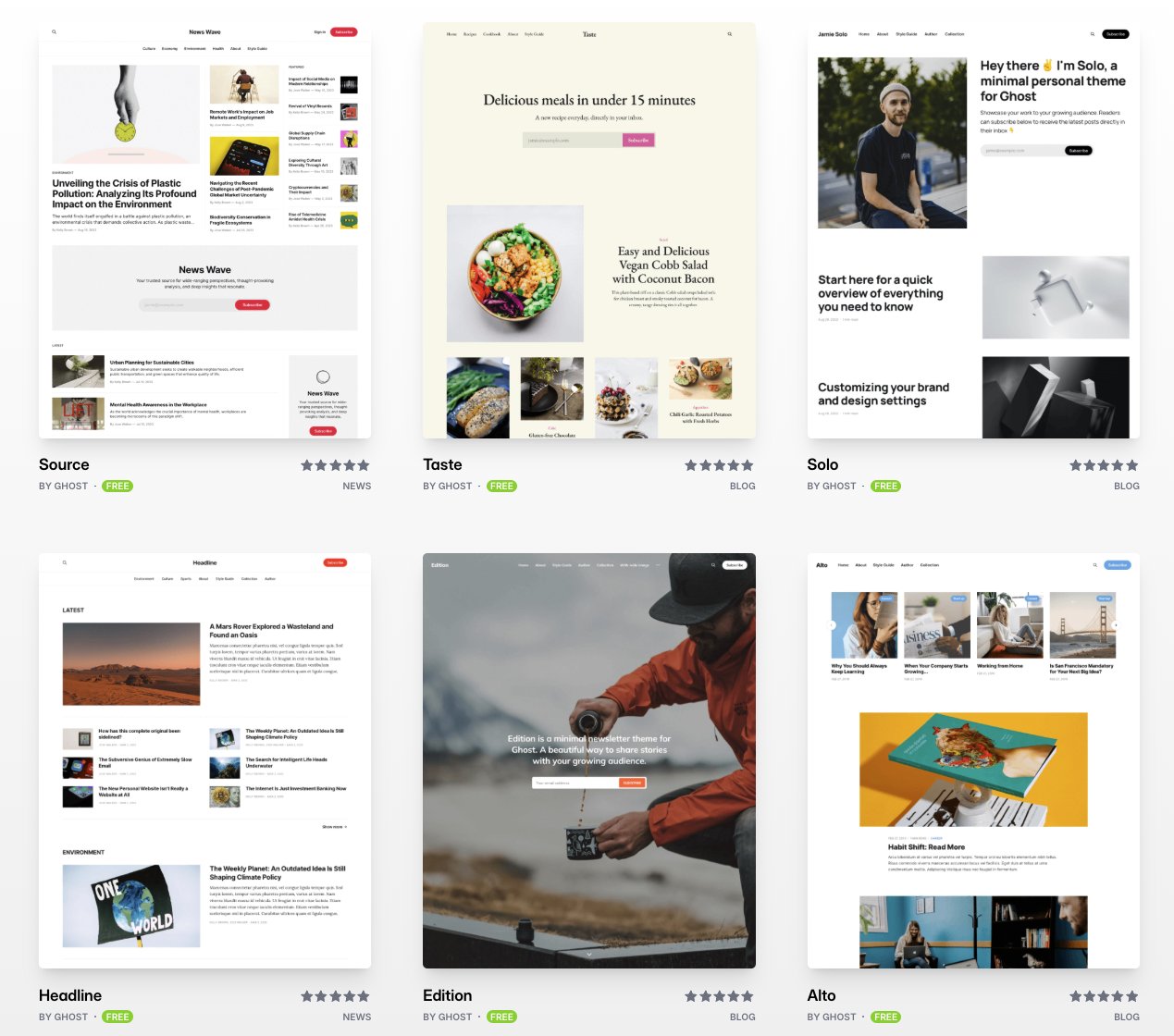
Once you have your new Ghost blog up and running, you may want to start by designing it. Most people don’t write code, and they can’t design their own layouts, so they choose a theme and adjust it accordingly. Some themes can literally change in such high levels that, in the end, they become almost unrecognizable.
When you first sign in to your Ghost blog, you’ll have the option to choose either of the official free themes provided by Ghost or one of the exclusive MagicPages themes that Jannis made. But there are third-party marketplaces that also have their own collections of premium themes that you can buy and use, many of them modern and robust and with support included.
Editor’s Note:
If you’ve chosen the “Started” plan from MagicPages and are looking to upload and use a custom theme, you’ll have to add the “Custom Themes Add-On” to your monthly expenses. Alternatively, it’s included in the Pro plan.
Right now, ThemeForest is the most popular marketplace when it comes to themes, offering thousands of options for multiple different platforms, including Ghost.
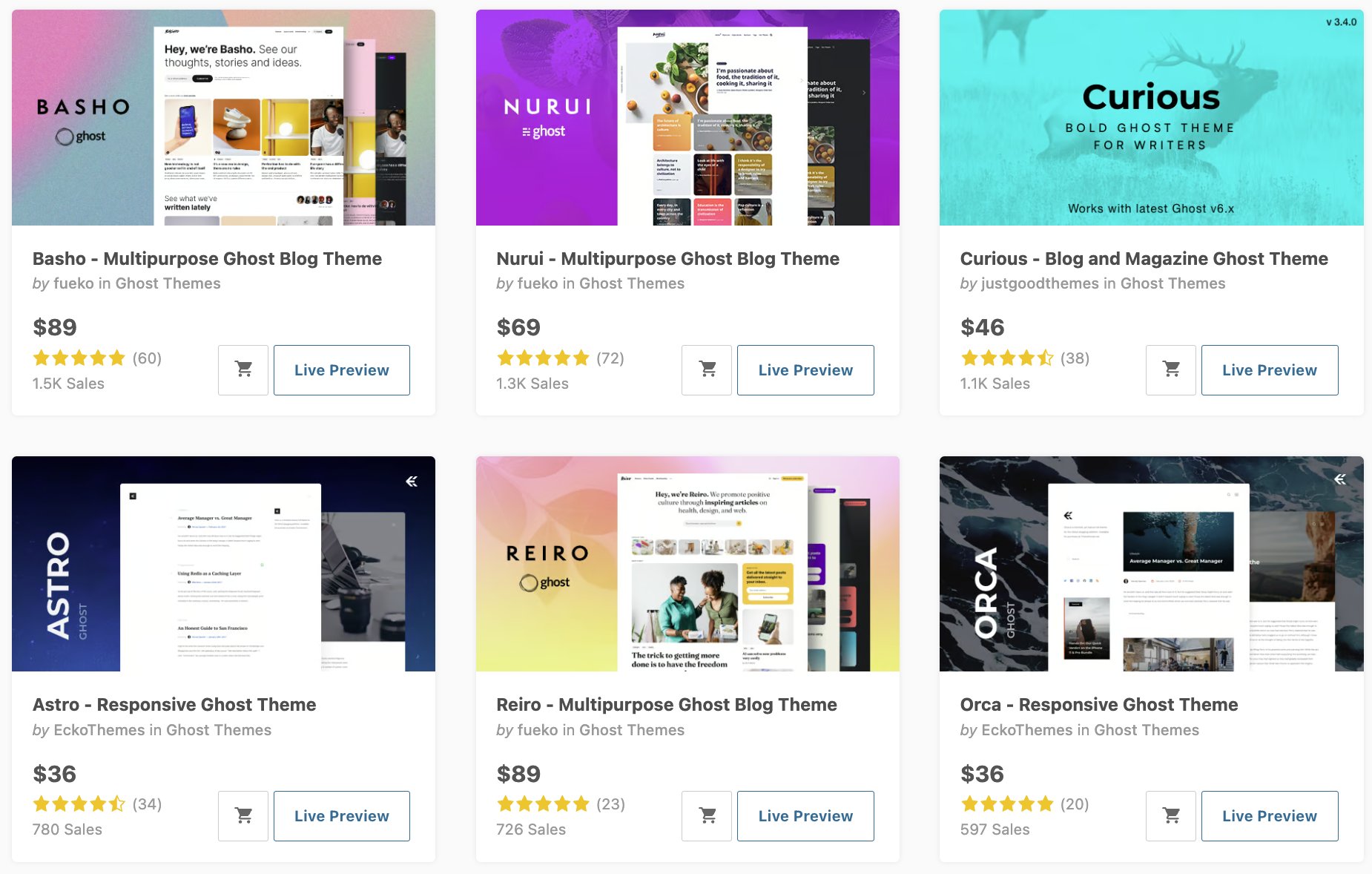
Just head over to the Ghost Templates page to see them all. Creative Market also offers a few great Ghost themes, but the marketplace doesn’t offer a specific category for the platform, so searching “Ghost themes” will do the trick.
Keep in mind that those marketplaces offer every developer the option to sell their themes, so you get support from independent developers or (usually) small companies. Always read the reviews before making a decision, and closely look at what the theme offers.
Most themes also provide a “Changelog” page from where you can see all updates the theme has received, and when it received them.
FAQs
Have any questions? Leave your comment at the end of this page.
Why do I have to pay if Ghost is free?
Ghost is a free open-source project, and anyone can download and use it for free for as long as they want, whether that’s for personal or commercial purposes. But to be able to run, you need a server and a domain name. If you got the first and you have the skills, you can self-host it for free, and just get a domain name, or pay for both from a known and trusted hosting provider.
Should I get a lifetime hosting plan?
Nothing really lives forever, and the same goes for lifetime web hosting plans that promise you that for as little as a few hundred dollars, you get yourself a server that will never get cancelled. I don’t trust those plans, but even if I did, isn’t the point of starting a new blog or newsletter to keep growing it fast enough to need a more powerful server soon? If you do, then lifetime plans won’t cut it for you, and instead, you’ll need to focus on future flexibility.
Ghost or WordPress.com, which is better?
WordPress.com has more options and features, and a huge community of people backing it up. But its official plans are very restrictive, and getting a web hosting with a domain isn’t always the best choice for people who don’t want to invest a lot of time in the learning curve that comes with it. If you only need a blog and/or a newsletter, Ghost will make your life a whole lot easier, while with WordPress, you’ll either have to pay a lot or configure everything by yourself.
Is Ghost a better option than Medium and Substack?
Yes, and no. While Ghost is very similar to Medium and Substack, especially considering that it lets you build a blog (like Medium) and a newsletter with subscription-based content (like Substack), the biggest difference is that you own it. You control everything, you set your own rules, you decide about the design and the way your blog/newsletter works, and nobody can shut it down except you. Then again, you know what they say, “Don’t grow your seeds into another man’s land.”
What is MagicPages?
Created by Jannis, a guy who fell in love with Ghost but hated all the fuss of installing, configuring, and maintaining it, MagicPages is a Ghost hosting provider that focuses on simplicity. Instead of doing anything technical-related, MagicPages does everything automatically for you; just sign up for a new account (14-day free trial included), type your blog’s name, a few more details, customize it, write a few articles, and publish it for the world to see.
Ghost is getting updated with new features, bug fixes, improvements, and more fairly often. It’s a platform that looks like it has a very bright future, and it’s already a powerful solution for everyone who wants a personal blog or newsletter without having to deal with anything too advanced.
Hosting providers like MagicPages make the whole process a few clicks and a little bit of typing, and within minutes, you get to build your new Ghost blog. Combine it with NameCheap’s offerings and cheap pricing, and you’ve got yourself a yearly package for less than $100.